View Notices from Management
Your property manager sends notices to keep you informed about important announcements, maintenance schedules, meetings, policy changes, and more. You can view all notices sent to you in the resident portal.
What You'll Need
- A Propty resident account with access to the portal
- At least one notice sent to you by your property manager
Steps
1. Log In to the Portal
Go to app.propty.io and log in with your email address. If you are a portal-only resident, you will receive a magic link to your email — click the link to sign in.
2. Open Notices
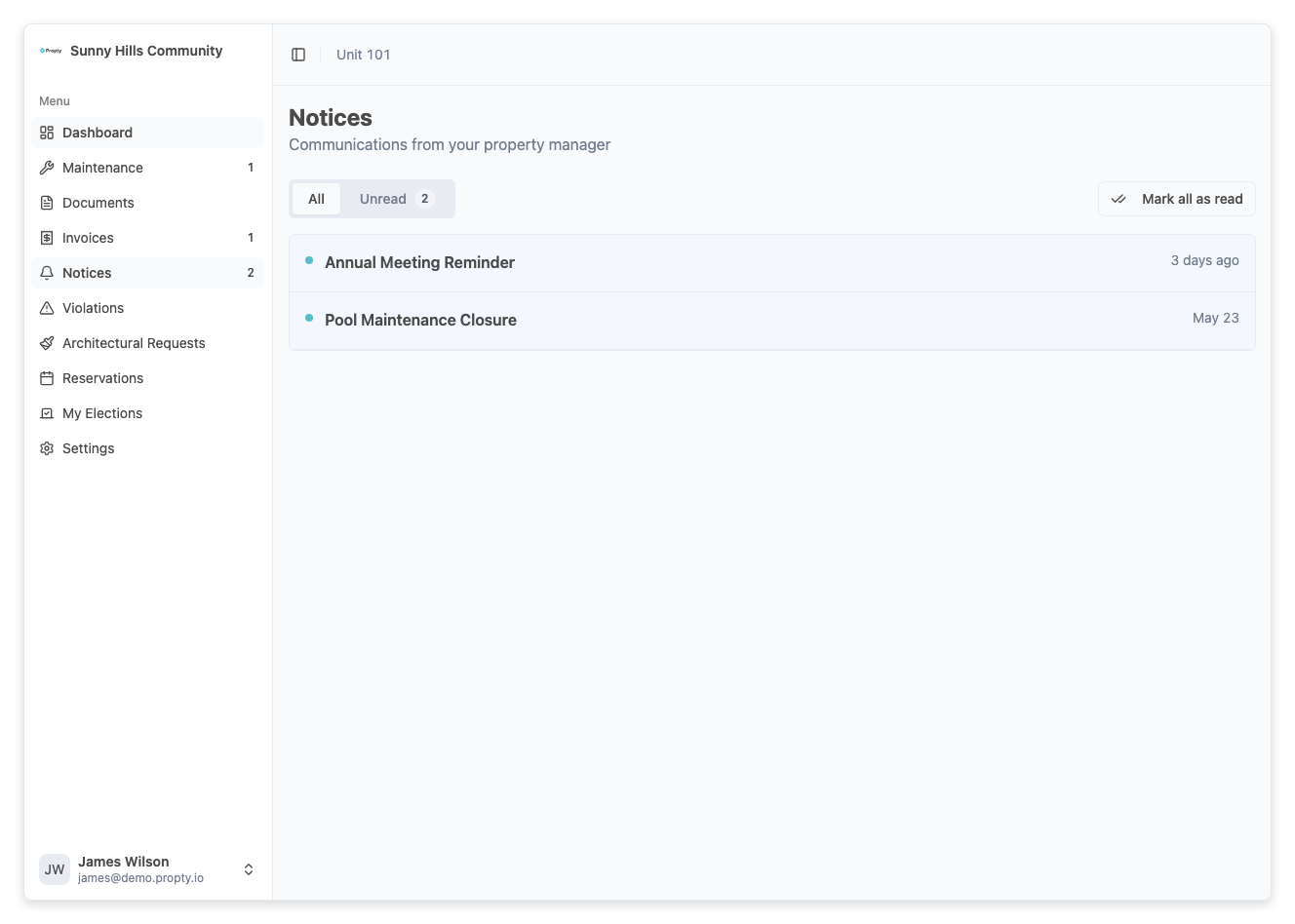
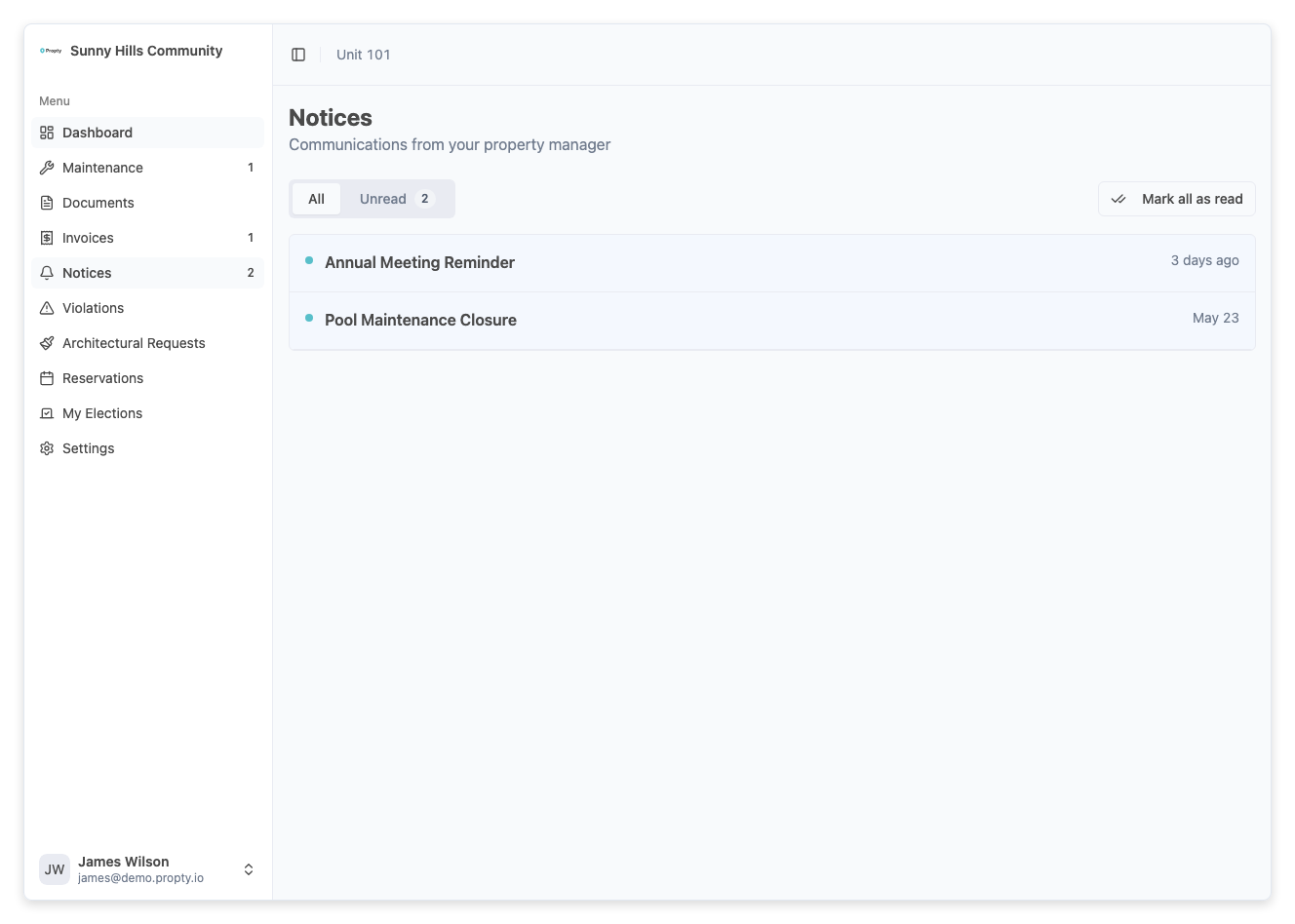
From the portal sidebar, click Notices. You will see a list of all notices addressed to you, sorted by date with the most recent at the top.
3. Identify Unread Notices
Unread notices are marked with a dot indicator next to the title. This helps you quickly spot new communications you haven't opened yet.
4. Read a Notice
Click on any notice to open it. The detail view shows:
- Title — The subject of the notice
- Sender — Who sent the notice and when
- Content — The full message from your property manager
- Attachments — Any files attached to the notice (such as PDFs, meeting agendas, or forms)
5. Download Attachments
If the notice includes attachments, click the Download button next to each file to save it to your device.
How You Receive Notices
Your property manager can send notices through multiple channels:
- Email — You receive the full notice content in your email inbox
- SMS — If enabled, you receive a short text message alerting you to the notice
- Portal — All notices are always available in your portal notice list
Even if you read the notice in your email, it will still appear in the portal for your reference.
Troubleshooting
I don't see any notices
If your notices page is empty, it means your property manager has not sent any notices addressed to you yet. Check back later.
I received an email about a notice but can't find it in the portal
Make sure you are viewing the correct property. If you belong to multiple properties, switch to the property that sent the notice using the property selector.
I can't download an attachment
Check your internet connection and try again. If the problem persists, contact your property manager — the attachment file may need to be re-uploaded.
I want to be notified when a new notice arrives
Notice emails are sent automatically when your property manager sends a notice. Make sure the email address on your account is correct and check your spam folder if you're not receiving emails.