Compliance Overview
Propty's compliance tools help you track violations, manage cure periods, and handle architectural review (ARC) requests — all from your property dashboard.
What you'll need
- A property with at least one unit added
- Property manager or organization manager role
Compliance Features
Propty provides two main compliance areas:
Violations
Track and enforce community rules. The violations system supports the full enforcement lifecycle:
| Stage | Description |
|---|---|
| Reported | A new violation has been recorded |
| Cure Period | The resident has been given time to fix the issue |
| Warning Sent | A formal warning has been issued |
| IDR Offered | Internal Dispute Resolution has been offered |
| First Fine Sent | A monetary fine has been issued |
| Hearing Scheduled | A formal hearing has been set |
| Resolved / Dismissed | The violation has been closed |
See Understanding Violations for details.
Architectural Review Committee (ARC)
Manage requests from residents who want to make changes to their units or common areas. ARC requests go through a structured review process:
| Stage | Description |
|---|---|
| Submitted | Resident has submitted a request |
| Under Review | The committee is reviewing the request |
| Approved / Denied / Approved with Conditions | A decision has been made |
See Architectural Review Committee for details.
Navigating Compliance
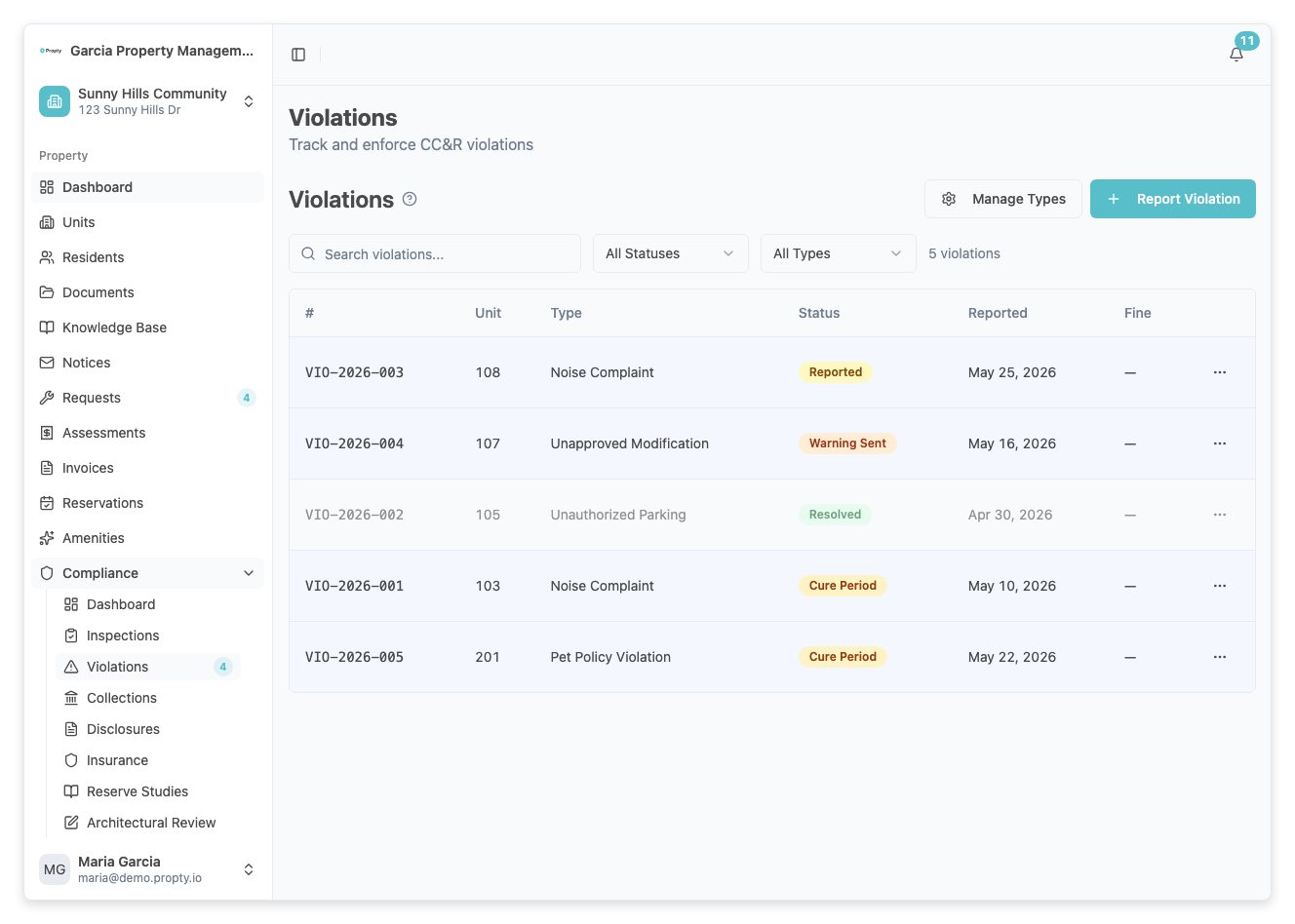
Violations Page
From the sidebar, click Violations under your property. You will see:
- A table of all violations with columns for Number, Unit, Type, Status, Reported Date, and Fine Amount
- Filters to search by text, status, or violation type
- Buttons to Add Violation and Manage Types
ARC Page
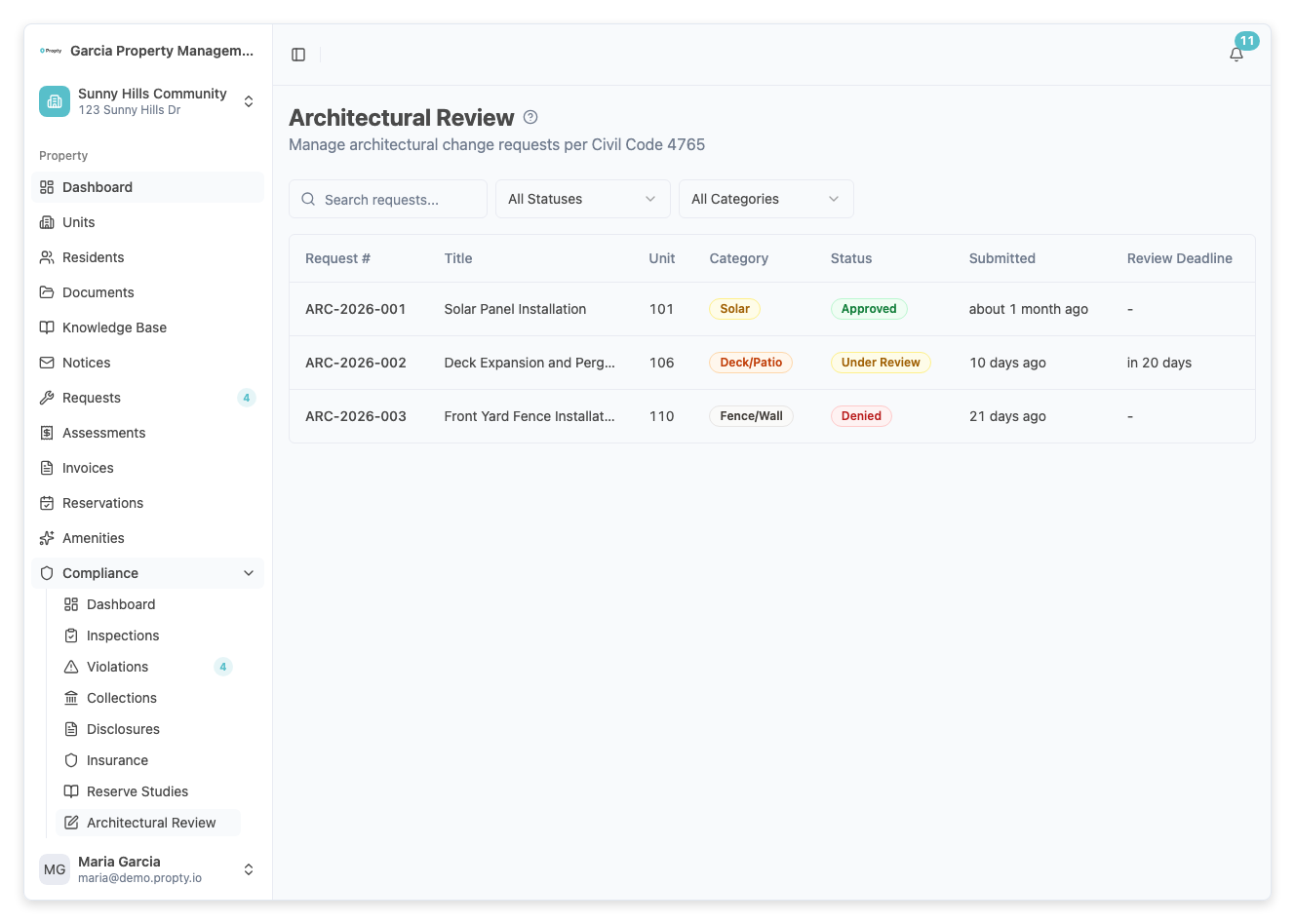
From the sidebar, click ARC under your property. You will see:
- A table of all ARC requests with columns for Request Number, Title, Unit, Category, Status, Submitted, and Review Deadline
- Filters to search by status or category
Setting Up Compliance
Before using compliance features, you should:
- Create violation types — Go to Violations > Manage Types to define the types of violations your community enforces (e.g., noise, parking, landscaping). See Record a Violation for details.
- Review ARC categories — ARC requests use built-in categories such as exterior modification, landscaping, fencing, painting, solar panels, and other.
Troubleshooting
I don't see the Violations or ARC pages
- Make sure you have the correct role. Only property managers and organization managers can access compliance features.
- Verify the property exists and you are viewing the correct property.
The violations list is empty
- No violations have been recorded yet. Click Add Violation to create your first one.
- If you applied filters, click Clear Filters to reset the view.