Record a Violation
When a community rule is broken, record a violation against the unit. The violation starts in Reported status and can then move through the enforcement lifecycle.
- At least one unit added to your property
- At least one violation type configured (see step 1 below)
Steps
1. Set up violation types (first time only)
Before recording your first violation, you need to create at least one violation type.
- Go to the Violations page from the sidebar.
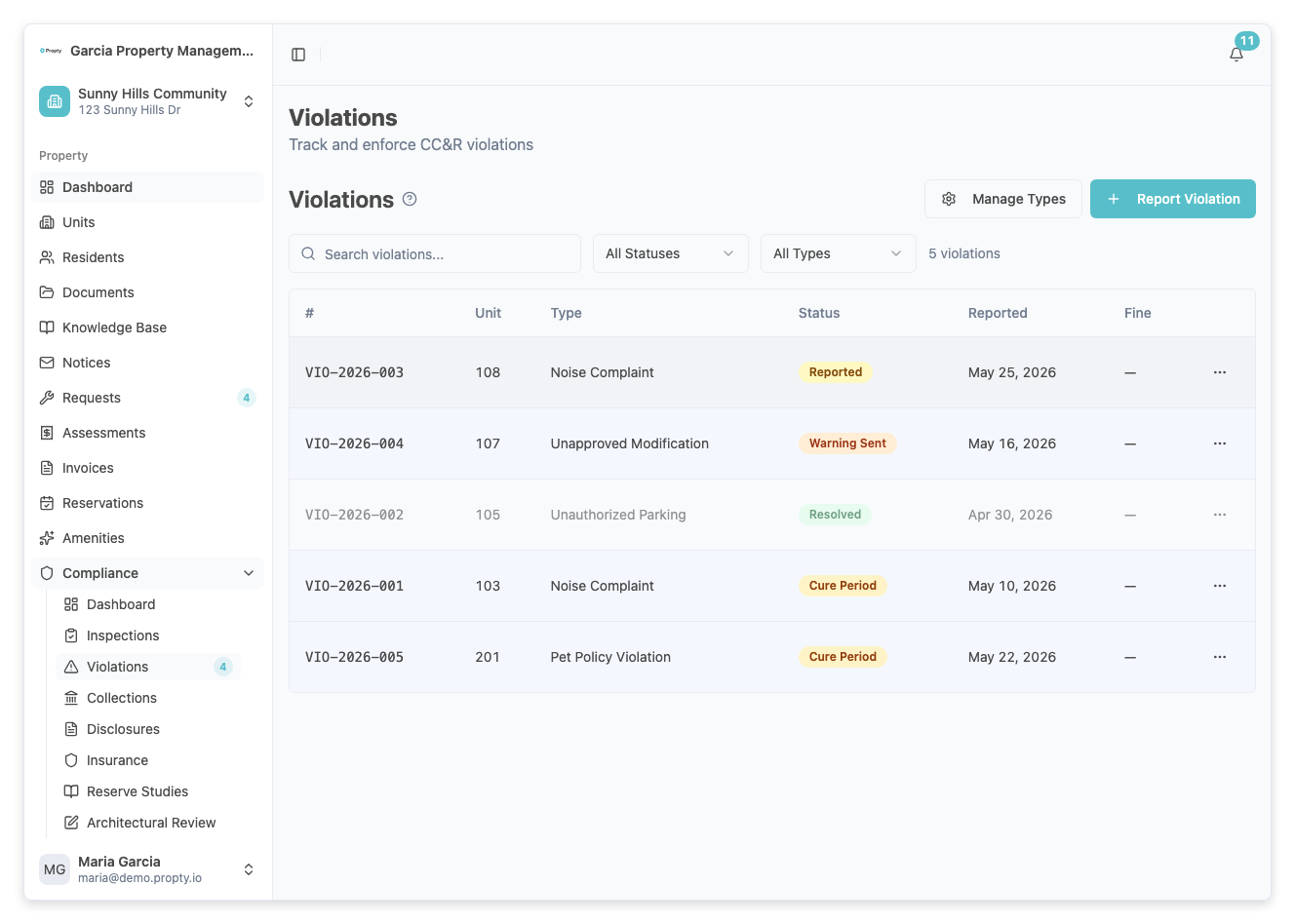
- Click the Manage Types button.
- On the violation types page, click Add Type.
- Enter a Name (e.g., "Noise Violation"), select a Category, and choose whether the type Requires Hearing.
- Save the type.
You only need to do this once — violation types are reused across all violations.
2. Go to the Violations page
From the sidebar, click Violations under your property name.
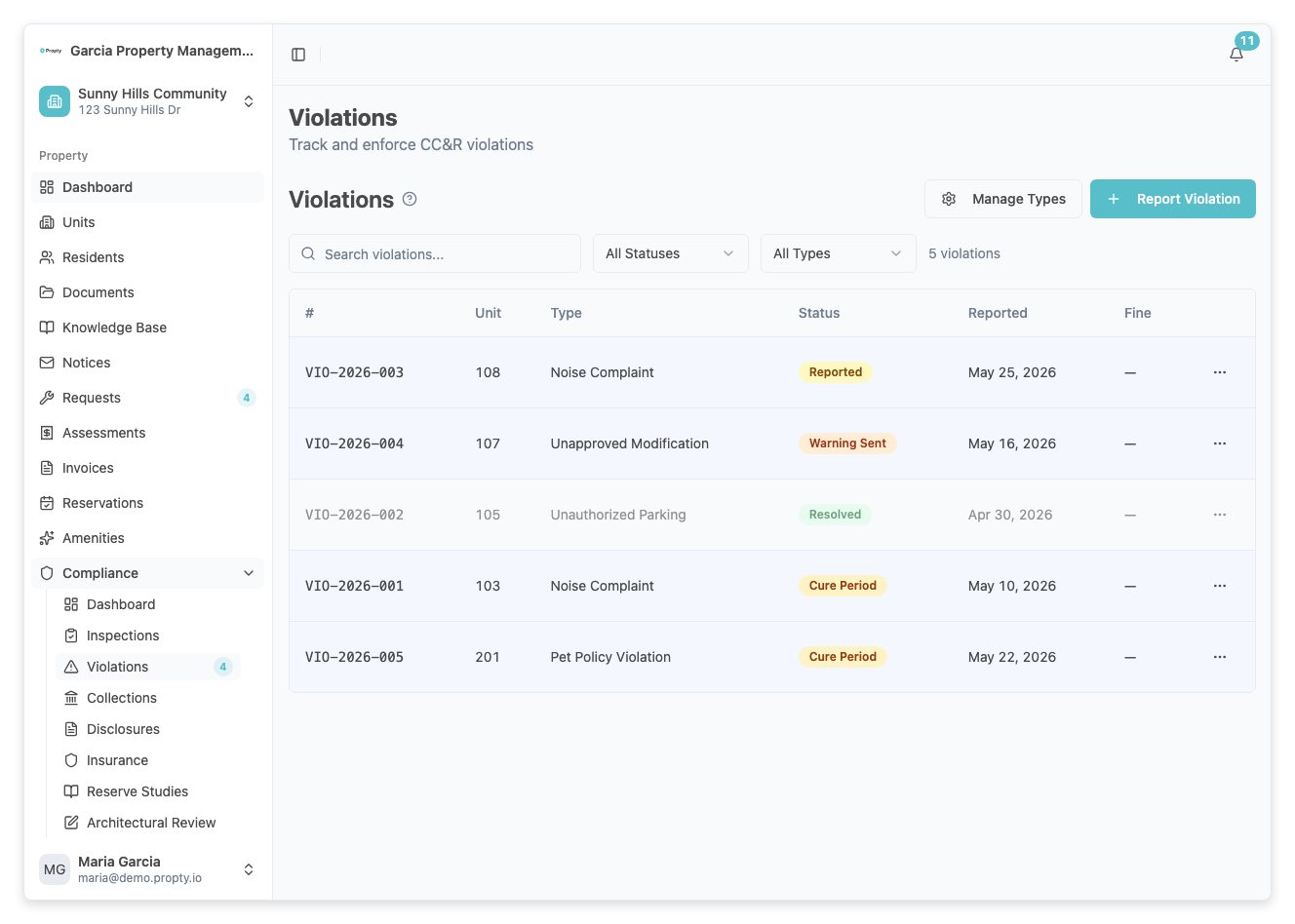
3. Click "Add Violation"
Click the Add Violation button in the top-right corner. If you have no violations yet, you can also click the button in the empty state.
A dialog will appear with the violation form.
4. Select the unit
Click the Unit dropdown and select the unit where the violation occurred. Units are listed by their unit number and building (if applicable).
5. Select the violation type
Click the Type dropdown and select the type of violation. Each type shows its name and category.
If you don't see the violation type you need, close the dialog and go to Manage Types to create a new one.
6. Set the date
Click the Date Occurred field to open the calendar picker. Select the date the violation happened. You cannot select a future date.
7. Describe the violation
Enter a description in the Description field. Be specific — include what happened, where, and any relevant details. This description may be shared with the resident during the enforcement process.
8. Submit the violation
Click the Add Violation button at the bottom of the dialog. The violation will be created with a Reported status.
You will see a success message with the violation number (e.g., VIO-001).
What happens next
- The violation appears in your violations list with Reported status
- Click the violation to view details and take the next action
- Typical next step: Start Cure Period to give the resident time to fix the issue
- See Manage Violation Lifecycle for the full enforcement process
Troubleshooting
The "Add Violation" button opens a "No Types" message
You need to create at least one violation type before recording violations. Click the Manage Types button to set up your violation types.
The unit I need is not in the dropdown
The unit must exist in your property. Go to Units to add it first.
I made an error in the violation details
Click the violation in the list to open the detail page. If the violation is still in Reported status, you can dismiss it and create a new one with the correct information.