Understanding Violations
Violations are records of community rule infractions tracked against specific units. Propty supports a full enforcement lifecycle — from initial reporting through cure periods, warnings, fines, hearings, and resolution.
Violation Statuses
Each violation moves through these statuses:
| Status | Meaning |
|---|---|
| Reported | The violation has been recorded but no action taken yet |
| Cure Period | The resident has been given a deadline to fix the issue |
| Warning Sent | A formal warning notice has been sent to the resident |
| IDR Offered | Internal Dispute Resolution has been offered to the resident |
| First Fine Sent | A monetary fine has been issued |
| Hearing Scheduled | A formal hearing has been scheduled |
| Resolved | The violation has been resolved (resident fixed the issue) |
| Dismissed | The violation was dismissed (invalid report, etc.) |
Violation Types
Before recording violations, you need to define violation types. Each type includes:
- Name — A descriptive name (e.g., "Noise Violation", "Unauthorized Parking")
- Category — The general area the violation falls under
- Requires Hearing — Whether a formal hearing is required before fining
To manage violation types, click Manage Types on the Violations page. This takes you to the violation types management page where you can add, edit, or remove types.
The Violations Table
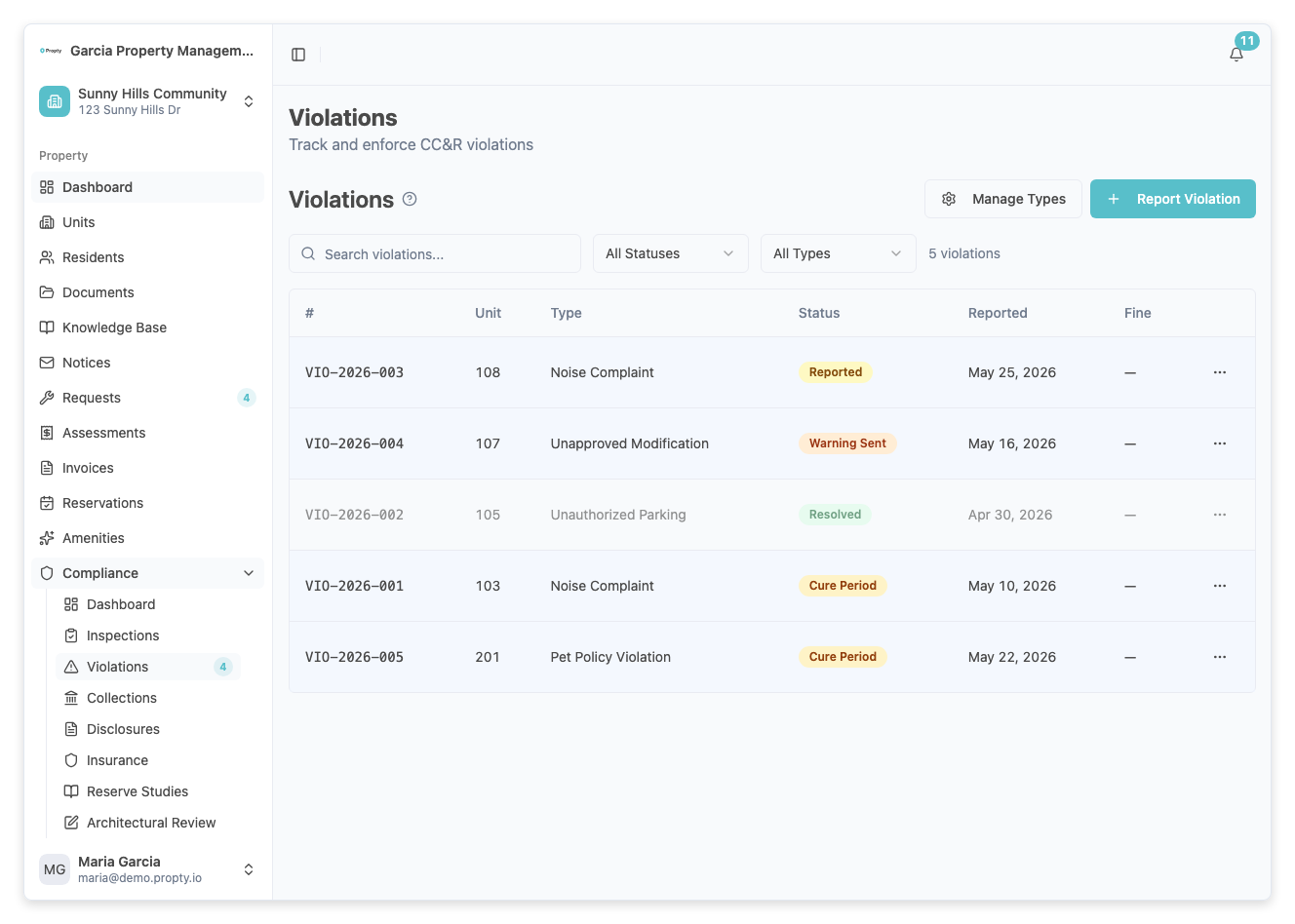
The violations list shows all violations for your property in a paginated table:
| Column | Description |
|---|---|
| Number | Auto-generated violation number (e.g., VIO-001) |
| Unit | The unit the violation is recorded against |
| Type | The violation type |
| Status | Current enforcement stage |
| Reported | Date the violation was reported |
| Fine | Fine amount, if applicable |
Filtering Violations
Use the filter controls above the table to narrow your view:
- Search — Search by violation number or description
- Status — Filter by a specific status (Reported, Cure Period, etc.)
- Type — Filter by violation type
Click Clear Filters to reset all filters.
Viewing Violation Details
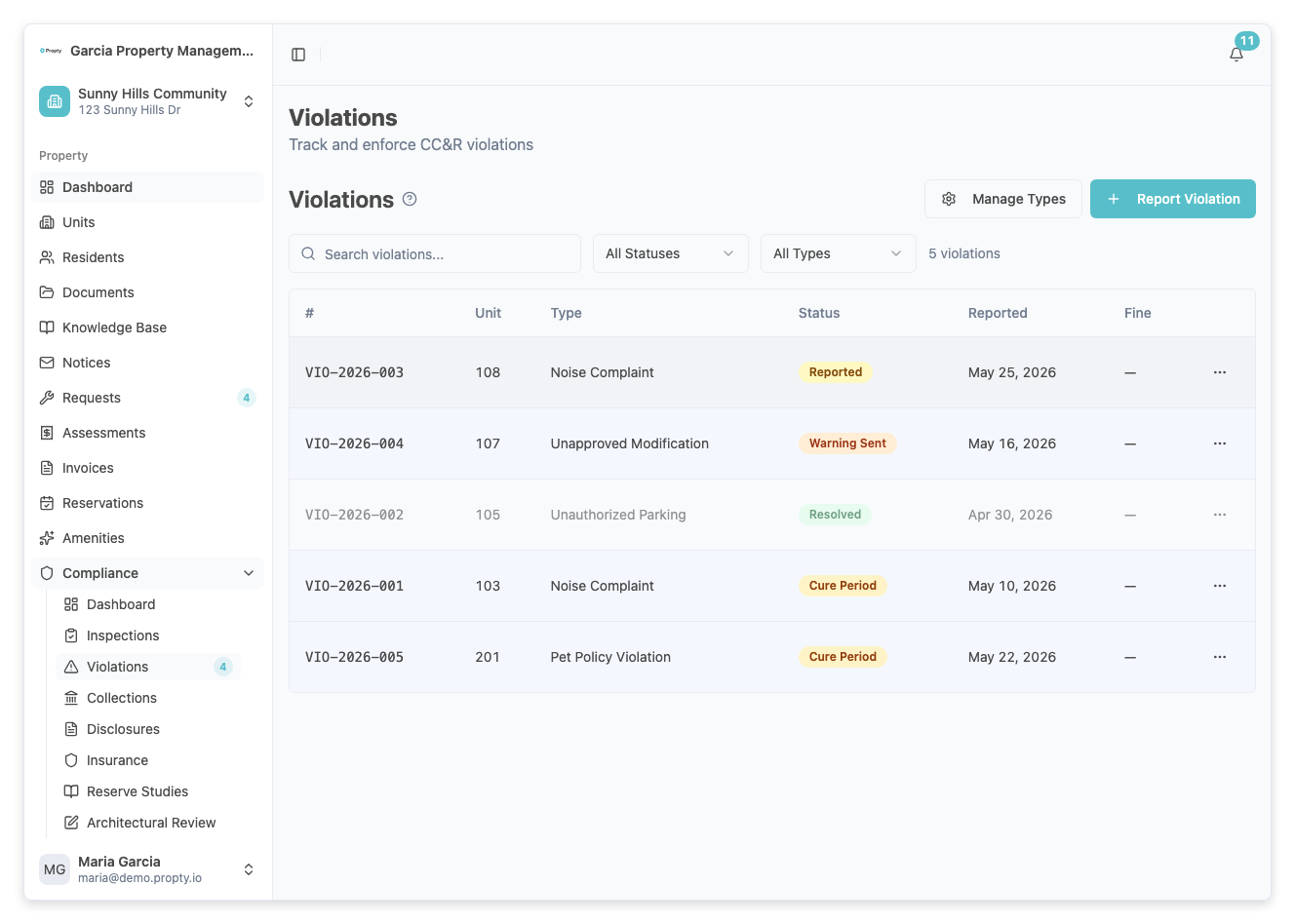
Click any row in the violations table to open the violation detail page. The detail page shows:
- Violation number and status badge at the top
- Violation details card — type, unit, date occurred, description, cure period deadline, fine amount, hearing info
- Progress timeline — a chronological view of all actions taken
Available Actions
The actions available on a violation depend on its current status:
| Status | Available Actions |
|---|---|
| Reported | Start Cure Period, Offer IDR, Resolve, Dismiss |
| Cure Period | Mark Cured (if deadline passed: Send Warning), Offer IDR, Resolve, Dismiss |
| Warning Sent | Offer IDR (required before fine), Resolve, Dismiss |
| IDR Offered | Send Fine, Resolve, Dismiss |
| First Fine Sent | Schedule Hearing, Resolve, Dismiss |
| Hearing Scheduled | Record Decision, Resolve, Dismiss |
If a violation type has Requires Hearing enabled, a warning banner will remind you that a hearing is required before the violation can be fully enforced.
Troubleshooting
I can't send a fine
- IDR (Internal Dispute Resolution) must be offered before a fine can be sent. Click Offer IDR first.
The "Send Warning" button doesn't appear
- The warning option only appears after the cure period has expired. Wait until the cure period deadline has passed.
I accidentally created a violation
- If the violation is still in Reported status, you can click Dismiss and provide a reason.