Collection Cases
Propty helps you manage the collection process for delinquent assessments following California's Davis-Stirling Act requirements. Collection cases track each delinquent account through the legally required steps — from friendly reminders through pre-lien notices, lien recording, and payment plans.
- Payments enabled for your property (see Payment Configuration)
- An overdue invoice linked to a resident
- Familiarity with your HOA's collection policy and California Civil Code requirements
How Collection Cases Work
When a resident has an overdue invoice, you can open a collection case to track the escalation process. Propty guides you through each step and records all actions for your records.
Collection Workflow
Friendly Reminder → Delinquent → Pre-Lien Sent → Pre-Lien Period (30 days)
→ Lien Ready → Lien Recorded → Payment Plan or Attorney Referral → Resolved
Opening a Collection Case
1. Go to the Compliance dashboard
From your property dashboard, click Compliance in the left sidebar.
2. Click the Collections card
Click the Collections summary card to open the collections list.
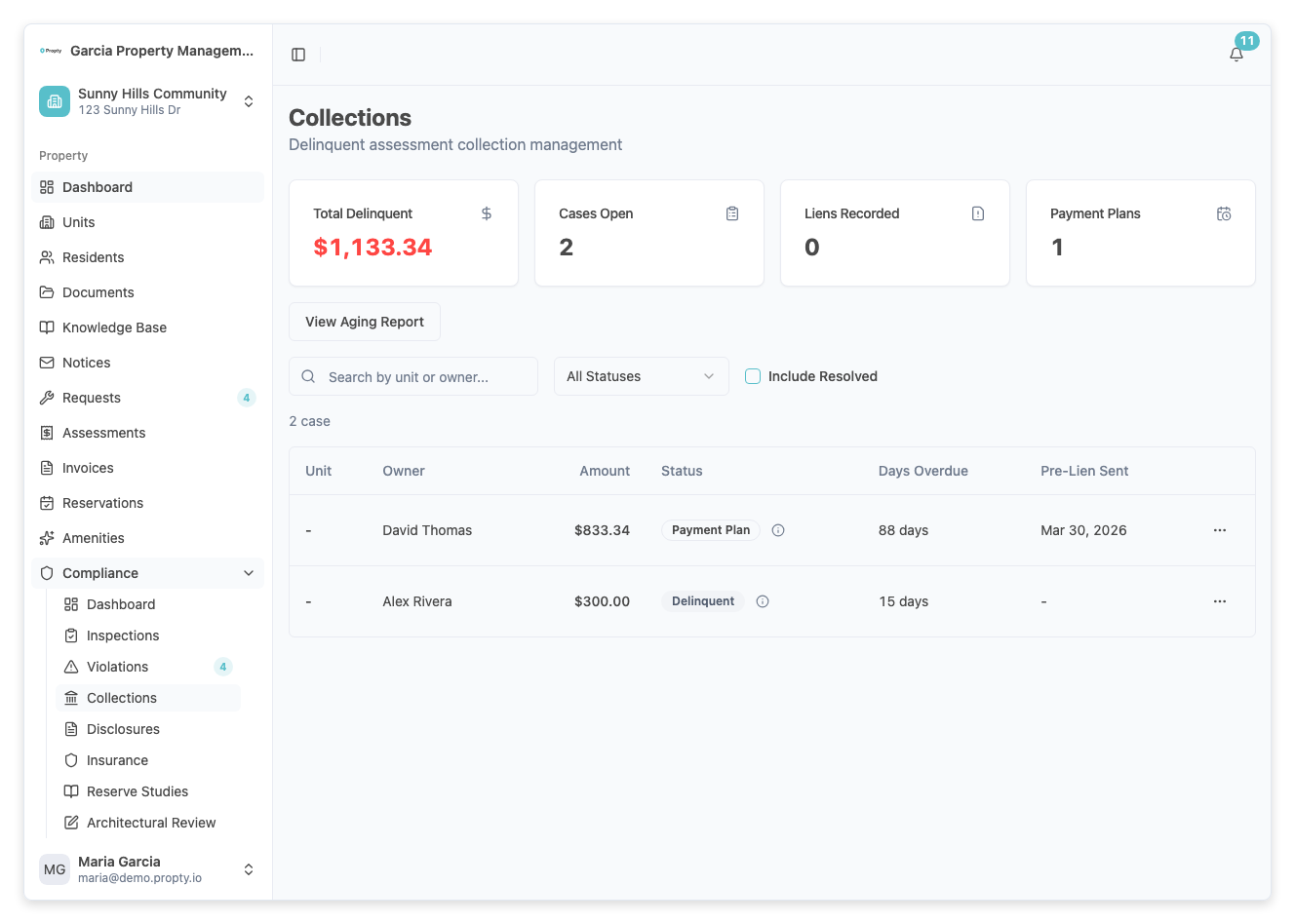
3. Click "Open Case"
Click Open Case. You will need to select:
- Invoice (required) — The overdue invoice to attach to this case.
- Resident (required) — The account holder responsible for the balance.
Propty automatically populates the amounts:
- Principal Owed — The assessment amount (before fees)
- Fees Owed — Late fees and interest
- Total Owed — The combined balance
4. Save the case
Click Open Case. The case starts at the Friendly Reminder status.
Managing a Collection Case
Recording Actions
From the case detail page, click Record Action to log each step in the collection process. Available action types include:
| Action | Description |
|---|---|
| Friendly Reminder Sent | Initial courtesy notice to the resident |
| Delinquency Notice Sent | Formal notice of the outstanding balance |
| IDR Offered | Internal Dispute Resolution offered (required before lien) |
| IDR Completed | IDR process completed |
| Pre-Lien Sent | Pre-lien notice sent via certified mail (Civil Code 5660) |
| Pre-Lien Delivered | Confirmation of delivery received |
| Lien Authorized | Board has authorized recording a lien |
| Lien Recorded | Lien recorded with the county |
| Lien Released | Lien released after payment |
| Payment Received | Partial or full payment received |
| Payment Plan Created | A payment plan has been established |
| Attorney Referral | Case referred to collections attorney |
For each action, you can add:
- Notes — Details about the action taken
- Document URL — Link to supporting documentation (notice PDF, mail receipt, etc.)
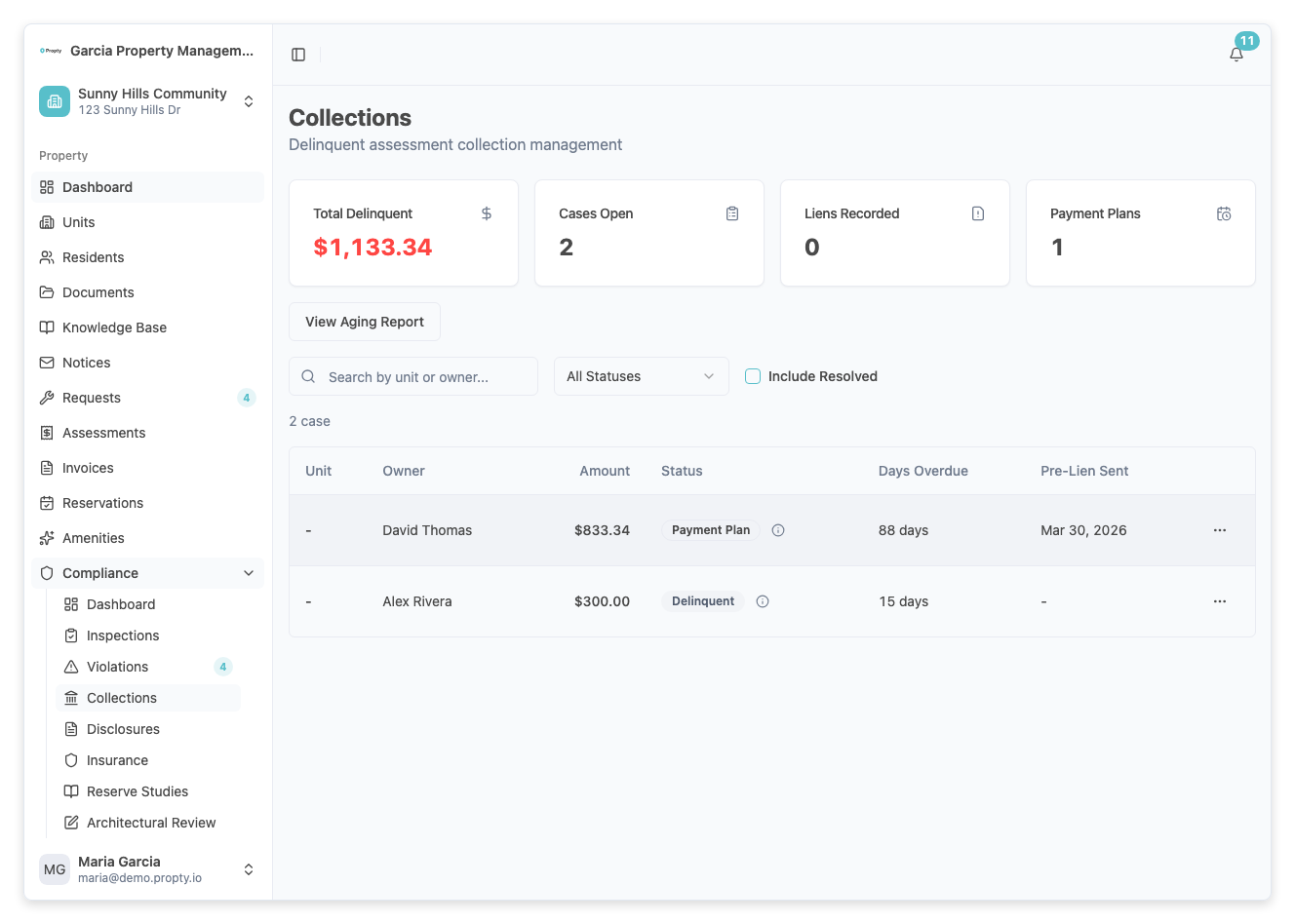
Setting Up a Payment Plan
If the resident agrees to a payment plan:
- Click Create Payment Plan from the case detail.
- Enter the plan details:
- Total Amount — The full amount to be repaid
- Down Payment — Any initial payment
- Number of Installments — How many payments
- Installment Amount — The amount per payment
- Start Date — When the first installment is due
- Click Create Plan. Propty generates the installment schedule and tracks each payment.
Collection Case Statuses
| Status | Meaning |
|---|---|
| Current | No delinquency (case resolved) |
| Friendly Reminder | Initial notice sent; 30-day period |
| Delinquent | 60+ days past due |
| Pre-Lien Sent | Pre-lien notice mailed per Civil Code 5660 |
| Pre-Lien Period | 30-day waiting period after pre-lien notice |
| Lien Ready | Pre-lien period expired; lien can be recorded |
| Lien Recorded | Lien filed with the county recorder |
| Payment Plan | Resident is on an active payment plan |
| With Attorney | Case referred to collections attorney |
| Resolved | Balance paid in full |
Payment Plan Statuses
| Status | Meaning |
|---|---|
| Active | Plan is in progress; installments being tracked |
| Completed | All installments paid |
| Defaulted | Resident missed payments; plan terminated |
Troubleshooting
I can't open a collection case
- A collection case requires an overdue invoice. Make sure the invoice status is Overdue (past due date with an unpaid balance).
The case status won't advance
- Collection cases advance as you record actions. Each status requires specific actions before it can move to the next stage. Follow the workflow order.
The pre-lien 30-day period hasn't been met
- Propty tracks the pre-lien sent date and calculates the 30-day waiting period. The Lien Ready status only becomes available after this period expires.
I need to close a case without full payment
- Record a Payment Received action for any partial amount, then update the case status to Resolved with a note explaining the resolution (for example, "Write-off approved by board").