Manage Reserve Studies
Reserve studies are assessments of your property's common-area components — roofing, plumbing, paving, and more — that help your HOA plan for future repair and replacement costs. California law requires HOAs to conduct a reserve study at least every three years. Propty lets you record study results, track component inventories, and monitor your reserve funding level.
- A completed reserve study from a qualified reserve study professional
- The study report with component inventory and funding analysis
Recording a Reserve Study
1. Go to the Reserve Studies page
From the compliance dashboard, click the Reserves summary card. Or navigate directly via the sidebar under your property.
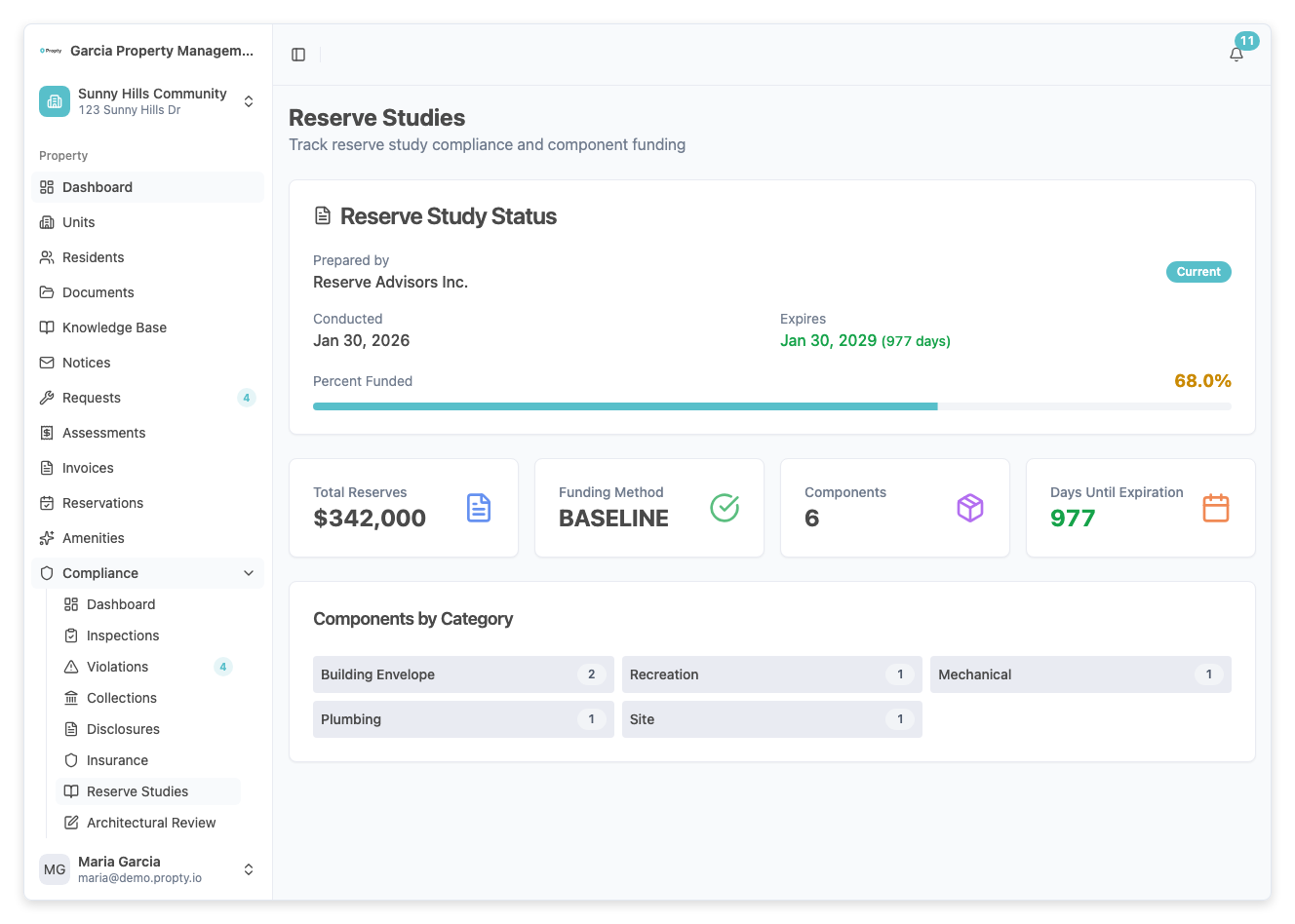
2. Click "Add Study"
Click the Add Study button. A form will appear with the following fields:
- Conducted Date (required) — The date the study was performed.
- Expires Date (auto-calculated) — Three years after the conducted date. This is when a new study is required.
- Prepared By (required) — The company or professional who conducted the study.
- Report URL (optional) — Upload or link the full study report PDF.
- Total Reserves (required) — The current total reserve fund balance (in dollars).
- Percent Funded (required) — The funding level as a percentage (0–100%). This compares actual reserves to the amount recommended by the study.
- Funding Method (required) — The reserve funding strategy:
- Full — Goal is 100% funded at all times
- Baseline — Cash balance never goes below zero
- Threshold — Maintain a minimum balance
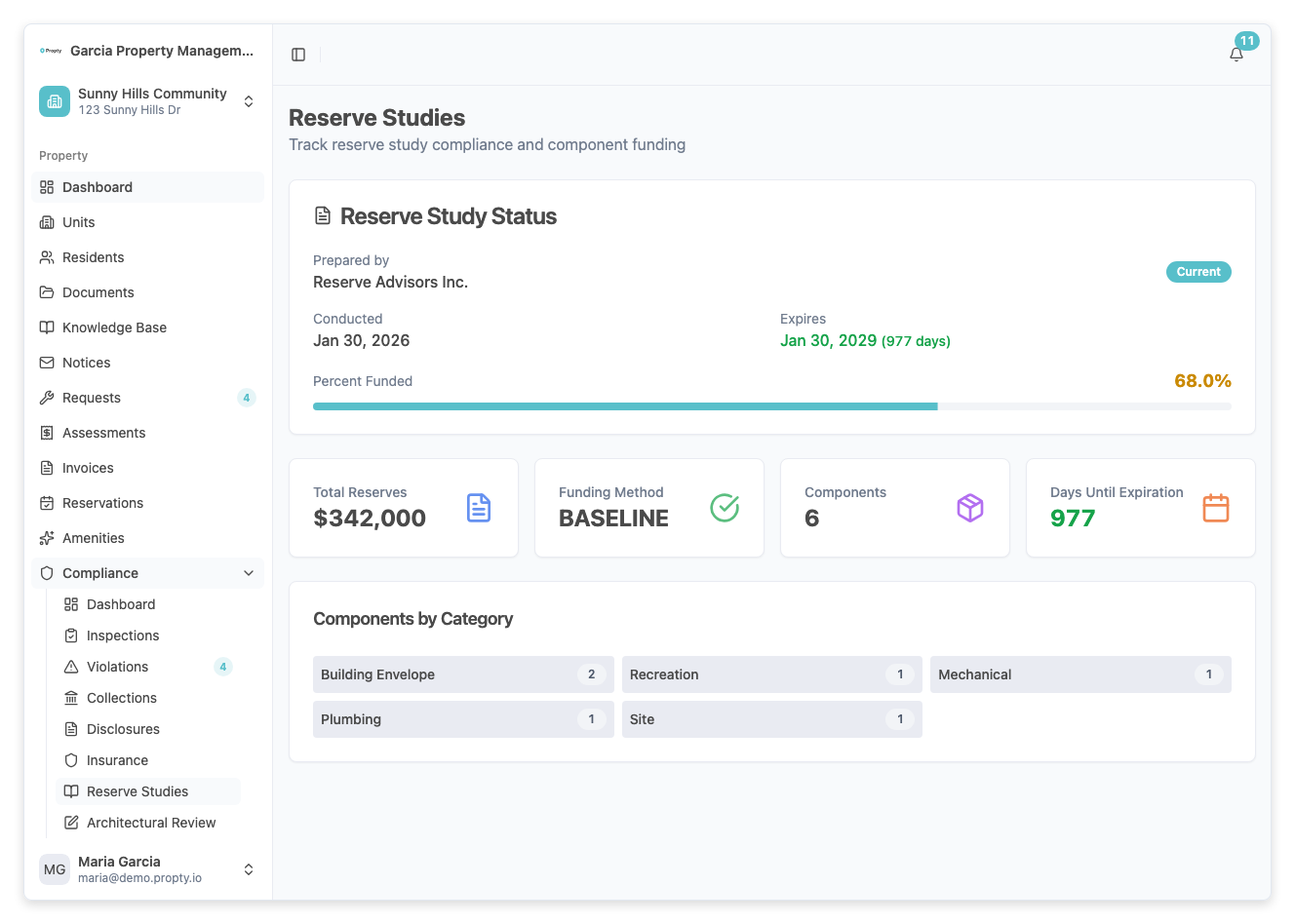
3. Save the study
Click Save. The study is recorded and the compliance dashboard updates to show the current funding level.
Adding Components
Each reserve study includes an inventory of common-area components. After recording the study, add its components:
1. Open the study detail
From the reserve studies list, click the study you just created.
2. Click "Add Component"
Click Add Component. For each component, enter:
- Name (required) — The component name (for example, "Main Roof - Building A").
- Category (required) — The component category (Roofing, Plumbing, Electrical, Paving, Painting, etc.).
- Useful Life (years) (required) — The expected total lifespan of the component.
- Remaining Life (years) (required) — How many years until replacement is needed.
- Current Cost (required) — The estimated cost to replace or repair the component today (in dollars).
- Condition (optional) — The current condition: Excellent, Good, Fair, Poor, or Critical.
- Notes (optional) — Any additional details from the study.
3. Repeat for all components
Add each component from the study. A typical reserve study may include 20–50 components.
Understanding Reserve Funding Levels
The Reserves summary card on the compliance dashboard shows:
| Indicator | Meaning |
|---|---|
| Funded (N%) | The property's reserves are N% funded according to the latest study |
| Study Current | The most recent study is less than 3 years old |
| Study Expired | The most recent study is more than 3 years old; a new study is required |
| No Data | No reserve study has been recorded |
Funding Level Guidelines
| Percent Funded | Status |
|---|---|
| 70–100% | Good — reserves are adequately funded |
| 30–69% | Warning — reserves may be insufficient for upcoming expenses |
| Below 30% | Alert — reserves are critically underfunded |
Component Condition Ratings
| Condition | Description |
|---|---|
| Excellent | Like new; no maintenance needed |
| Good | Minor wear; functioning as expected |
| Fair | Moderate wear; may need attention soon |
| Poor | Significant deterioration; replacement should be planned |
| Critical | Failed or failing; immediate replacement needed |
Troubleshooting
The dashboard shows "Study Expired"
- Your most recent reserve study is more than 3 years old. Hire a reserve study professional to conduct a new study, then record the results in Propty.
The funding percentage seems incorrect
- The percent funded value comes from the reserve study report, not from a calculation by Propty. Enter the exact percentage from your study. If you believe the value is wrong, consult with your reserve study professional.
I need to update a study after saving
- Open the study detail page and click Edit. You can update any field including the funding level and component details.
How do I compare studies over time?
- The reserve studies list shows all studies in chronological order. You can compare funding levels and component conditions across studies to track your property's financial health over time.