Manage Payment Methods
You can save payment methods (credit cards or bank accounts) to your Propty account for quick payments and autopay. Manage your saved methods from the Account page in the resident portal.
What You'll Need
- A Propty resident account with access to the portal
- A valid credit or debit card, or bank account information
Steps
1. Log In to the Portal
Go to app.propty.io and log in with your email address.
2. Open Your Account Page
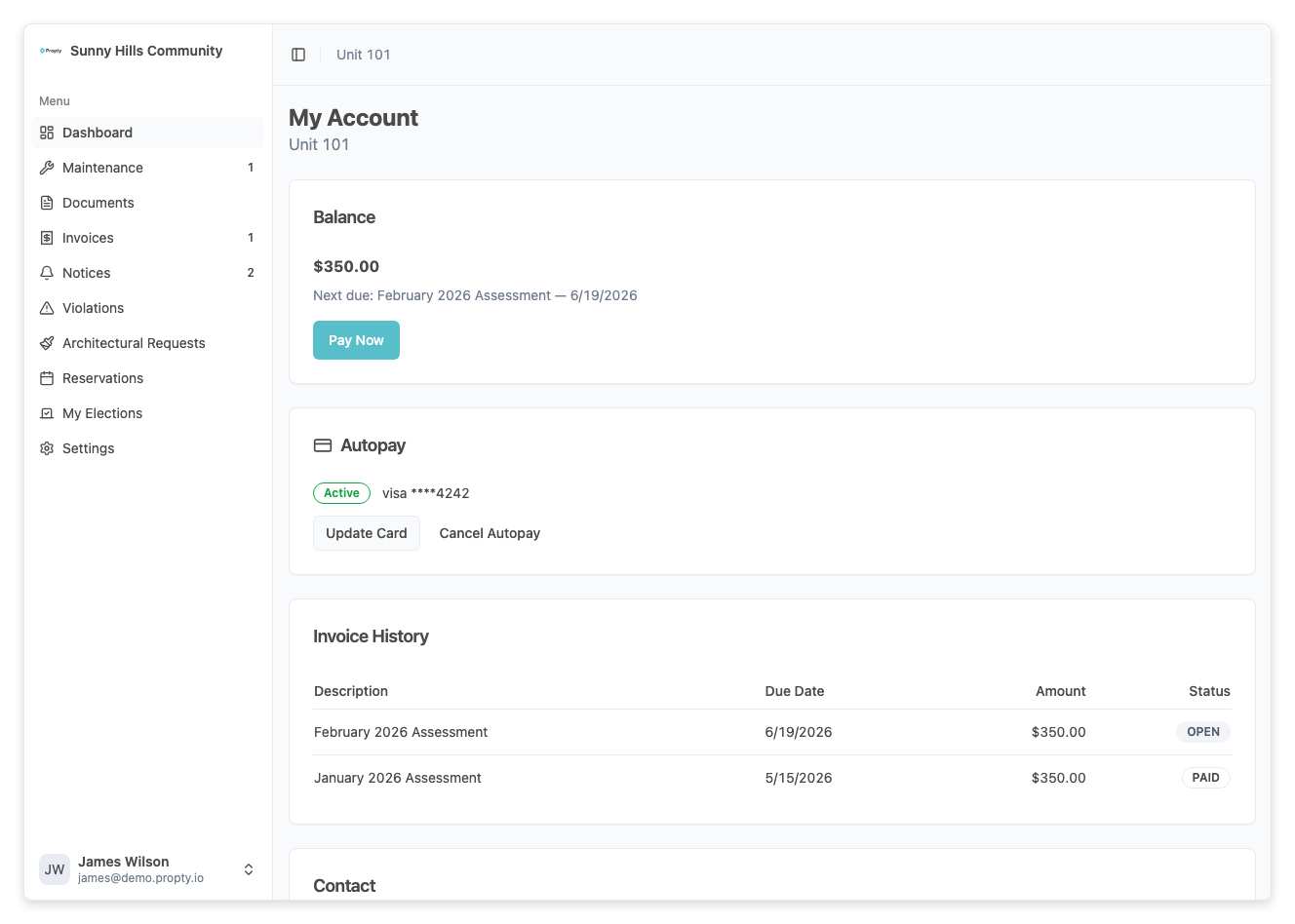
From the portal sidebar, click Account. You will see your account overview including your current balance, invoice history, and autopay settings.
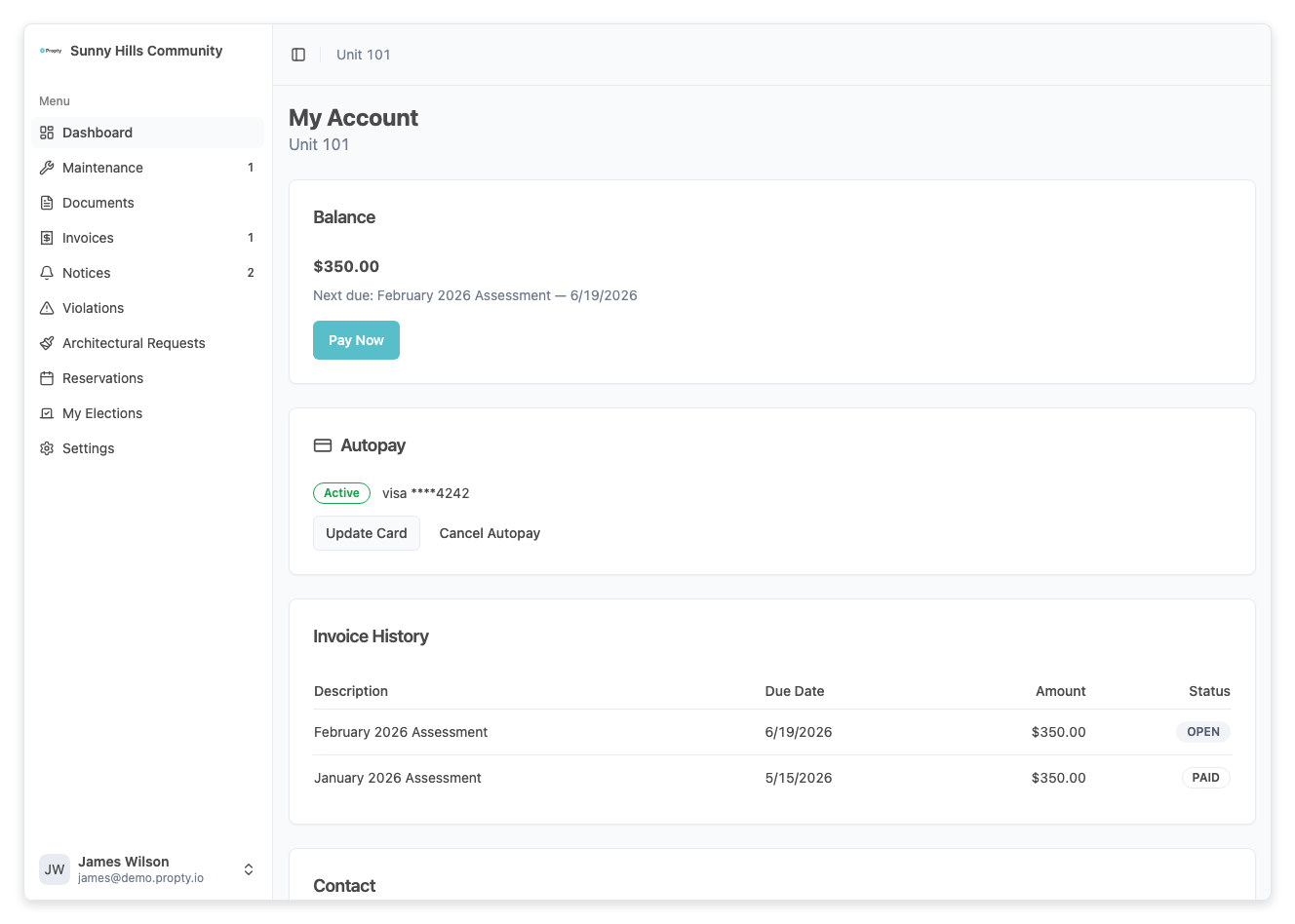
3. Go to the Autopay Section
Scroll down to the Autopay section. This is where your saved payment methods are managed.
4. Add a Payment Method
If you don't have a saved payment method, click Add Payment Method. You will be guided through a secure form to enter your card or bank account details.
Your payment information is securely processed through Stripe and is never stored on Propty's servers.
5. View Your Saved Methods
Once added, your payment methods appear in the Autopay section. Each method shows:
- The card brand or bank name
- The last 4 digits
- The expiration date (for cards)
6. Remove a Payment Method
To remove a saved payment method, click the Remove button next to it. If this method is currently used for autopay, you will need to update your autopay settings first.
Troubleshooting
My card was declined when adding it
- Verify the card number, expiration date, and CVV are correct.
- Make sure the card has not expired.
- Contact your bank to ensure the card is not blocked for online transactions.
I don't see the Autopay section
- Your property manager may not have enabled online payments for your property. Contact your property manager for more information.
Can I use a bank account instead of a card?
- If your property manager has enabled ACH payments, you can add a bank account as a payment method. This option appears during the Add Payment Method flow.
How do I update my card details?
- You cannot edit an existing card. Remove the old card and add a new one with the updated information.