Resident Account Statement
Your account statement is a complete PDF summary of all your invoices, payments, and account balance. You can download it anytime to share with a title company, for tax records, or to dispute a charge.
- Your login credentials for the Propty resident portal
- Access to your property's portal
Downloading Your Account Statement
1. Log in to the resident portal
Go to the Propty resident portal and log in with your email address.
2. Click "My Account" or "Account"
In the main navigation, click My Account or Account. This page shows your account overview.
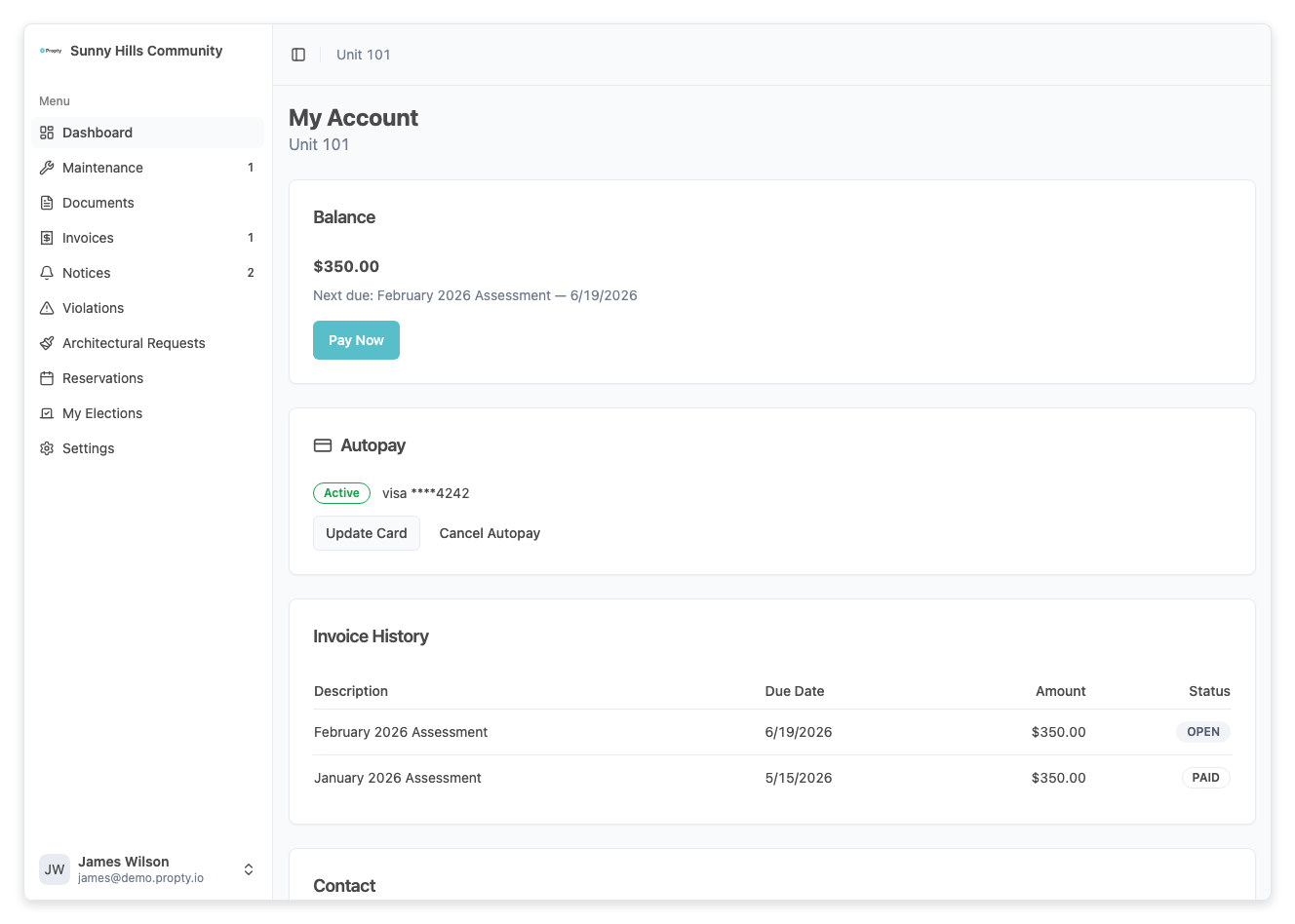
3. Find the Account Statement section
Scroll down to the Account Statement section (near the bottom of the page).
4. Click "Download Statement"
Click the Download Statement button. A PDF will be generated and downloaded to your computer.
What's in Your Statement
Your account statement PDF includes:
| Section | What it shows |
|---|---|
| Property Information | The property name and your unit number |
| Account Summary | Current balance, total paid, total owed |
| Invoice History | All invoices (paid, open, overdue) with descriptions, amounts, and due dates |
| Payment History | All payments you've made, including dates and amounts |
| Current Balance | What you owe right now |
Here's an example of what the statement looks like:
PROPTY ACCOUNT STATEMENT
Property: Sunny Meadows HOA
Unit: 205

ACCOUNT SUMMARY
Current Balance: $0.00 (Paid Up)
Total Invoices: $1,850.00
Total Paid: $1,850.00

INVOICE HISTORY
Date       Description              Amount    Status
1/15/24    Monthly HOA Dues        $150.00   Paid
2/15/24    Monthly HOA Dues        $150.00   Paid
3/15/24    Monthly HOA Dues        $150.00   Paid
(... and so on)

PAYMENT HISTORY
Date       Amount    Method
1/20/24    $150.00   ACH Bank Transfer
2/20/24    $150.00   ACH Bank Transfer
(... and so on)
When You'd Use a Statement
Here are common reasons to download your account statement:
| Reason | How to use it |
|---|---|
| Refinancing or selling your unit | Send to your title company or real estate attorney. Shows current balance and payment history. |
| Tax records | Keep for your tax preparer to verify HOA assessments paid. |
| Dispute a charge | If you believe you were charged twice or incorrectly, download the statement to review and share with your property manager. |
| Proof of payment | If your property manager claims a payment wasn't received, your statement shows proof. |
| Moving out | Request a statement to confirm your final balance before closing on the sale of your unit. |
Understanding Your Statement
Invoice Statuses
Invoices on your statement show these statuses:
| Status | Meaning |
|---|---|
| Open | Due and unpaid |
| Paid | Fully paid; no action needed |
| Overdue | Past due date with an unpaid balance |
| Partial | Partially paid; some balance remains |
Dates on your statement
- Invoice Date — When the charge was created
- Due Date — When payment was due
- Payment Date — When you paid (shown in Payment History)
Your Current Balance
- Balance: $0.00 means you're fully paid up with no outstanding balance
- Balance: $150.00 means you owe $150 on your next invoice
- Balance: -$50.00 (negative) means you overpaid and the property owes you a credit
Multi-Property Statements
If you own or rent units at multiple properties:
- Each property has its own separate account in Propty.
- Your resident portal shows which property you're logged into (usually in the top left).
- Download a separate statement for each property by:
- Logging out
- Logging back in (the portal may ask you to choose a property)
- Navigating to Account on that property
- Clicking Download Statement
Each statement covers only that specific property's invoices and payments.
Statement Frequency
Account statements are generated on-demand. You can download a statement anytime — there's no automatic monthly statement.
Tip: Download your statement quarterly or whenever you receive a new invoice to keep your records current.
Troubleshooting
The statement button isn't showing
- Make sure you're logged into the resident portal (not the property manager dashboard).
- The My Account or Account section should be in your main navigation.
- If you still don't see it, contact your property manager.
The statement shows a balance I don't think I owe
- Review the Invoice History section to see which specific invoices make up your balance.
- Check if you've made recent payments that haven't been recorded yet (allow 2-3 business days for bank transfers).
- Contact your property manager to dispute the balance with invoice numbers.
I need a statement for a past month
- Download the current statement, which includes your full invoice and payment history.
- If you need a statement for a specific date in the past, contact your property manager — they can generate a historical statement for you.
The statement shows a payment I don't remember making
- Check your bank or credit card records for the payment date and amount.
- Compare the payment date on the statement with your records.
- If you believe it's an error, contact your property manager immediately.
I'm selling my unit and need a "payoff statement"
- Download your current account statement to see your current balance.
- Share this with your title company or real estate attorney.
- Ask your property manager if they can provide a formal "payoff statement" confirming your final balance on a specific closing date.