Invite Residents to the Portal
Sending a portal invitation gives residents access to view invoices, submit maintenance requests, and receive notices through Propty. Residents receive an email with a link to activate their account.
- At least one resident already added to your property (see Add a Resident)
- The resident must have a valid email address on file
Invite During Resident Creation
The easiest way to invite a resident is during the process of adding them.
Step 1: Open the Add Resident dialog
On the Residents page, click the Add Resident button.
Step 2: Fill in the resident's details
Enter their name, email, and other information.
Step 3: Turn on "Send portal invitation"
At the bottom of the form, there is a toggle labeled Send portal invitation. Make sure it is turned on (the default).
Step 4: Save the resident
Click Add Resident. The resident will be created and an invitation email will be sent automatically.
Invite an Existing Resident
If you already added a resident but did not send an invitation, you can send one from the Residents list.
Step 1: Go to the Residents page
Navigate to your property and click Residents in the sidebar.
Step 2: Find the resident
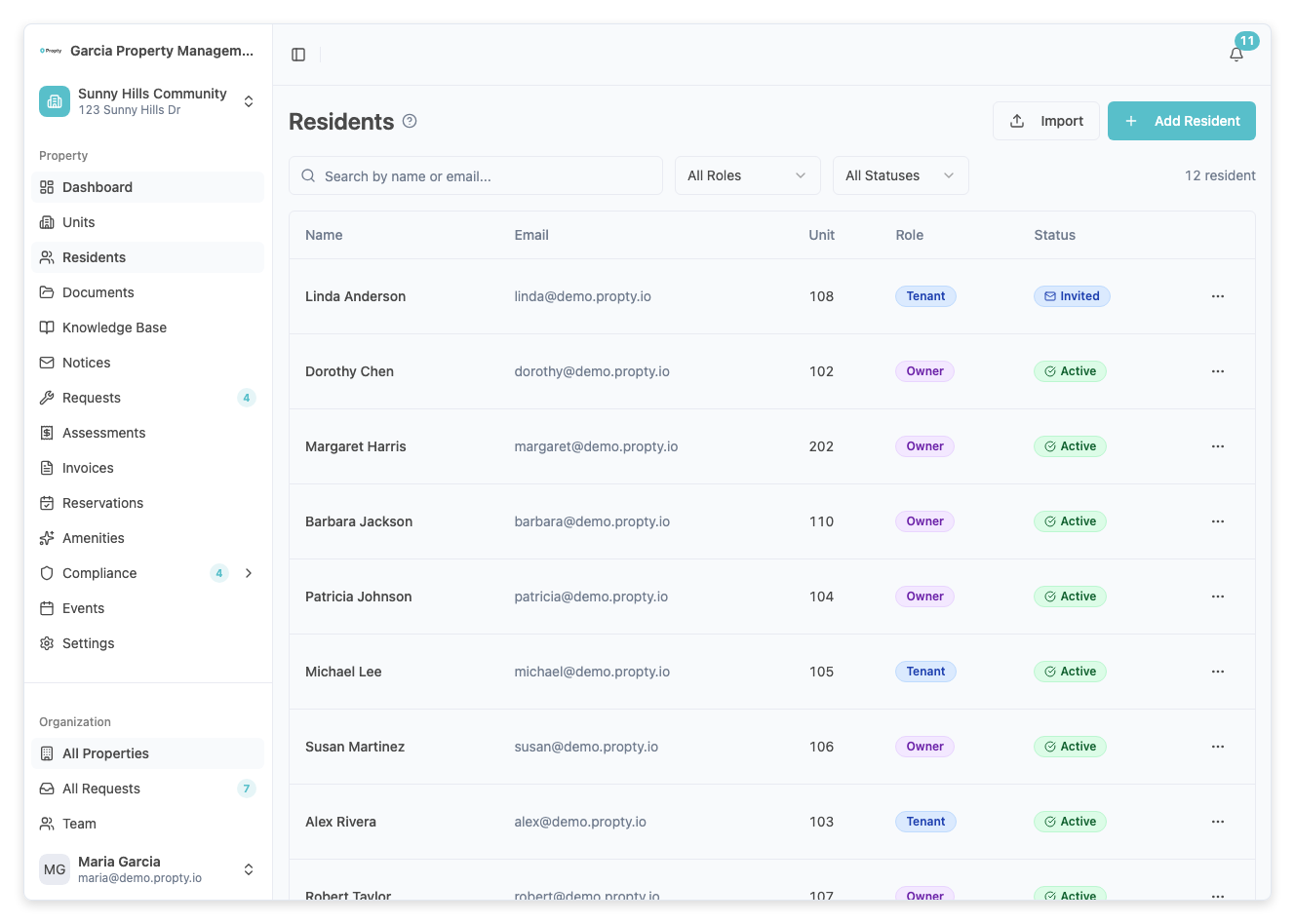
Look for the resident in the list. Residents who have not been invited will show a Pending status badge.
Step 3: Send the invitation
Click the three-dot menu (...) on the right side of the resident's row. Select Send Invitation.
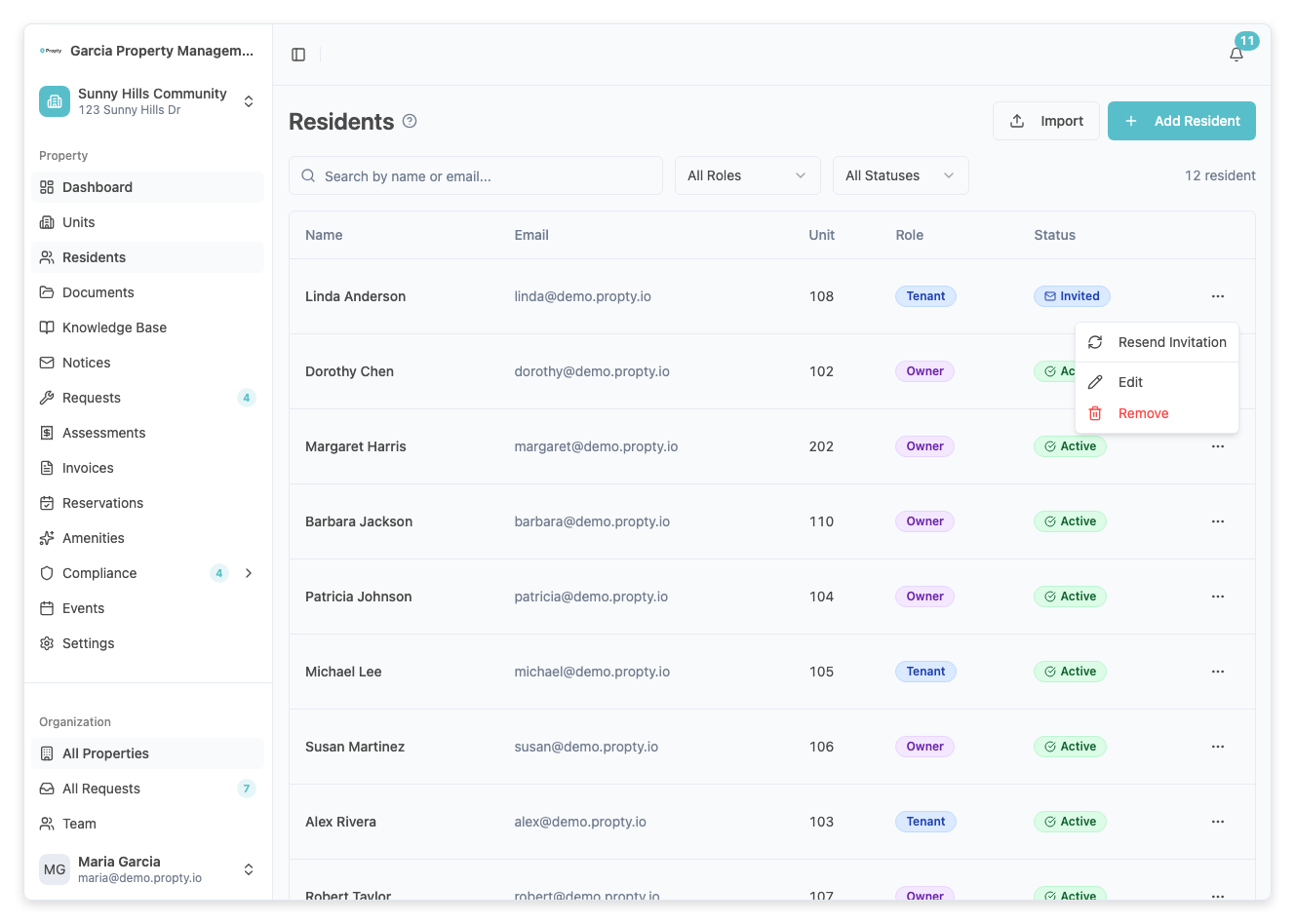
A confirmation toast will appear at the bottom of the screen saying the invitation was sent.
Resend an Invitation
If a resident did not receive the email or the link expired, you can resend the invitation.
Step 1: Find the resident
On the Residents page, locate the resident. They will show an Invited status badge.
Step 2: Resend the invitation
Click the three-dot menu (...) and select Resend Invitation. A new invitation email will be sent with a fresh link.
What Residents See
When a resident receives the invitation email, it contains:
- A greeting with their name
- The property name
- A description of what they can do in the portal (view invoices, submit requests, etc.)
- An Activate My Account button
- An expiration notice (the link expires after 7 days)
When they click the link, they are automatically logged in to the resident portal.
Troubleshooting
| Problem | Solution |
|---|---|
| Resident says they didn't receive the email | Ask them to check their spam/junk folder. Then try resending the invitation. |
| Invitation link expired | Resend the invitation from the three-dot menu. A new link is generated each time. |
| Resident already has a Propty account | The invitation will link the resident profile to their existing account. |
| "Send Invitation" not appearing in menu | The resident may already have an Active status, meaning they already accepted an invitation. |