Receiving Notices
Your property manager uses notices to keep you informed about important community updates — board meetings, maintenance schedules, policy changes, emergency alerts, and more. As an owner, you can view all notices sent to you in the resident portal.
How Notices Reach You
Your property manager can send notices through multiple channels:
| Channel | How it works |
|---|---|
| Portal | All notices appear in your portal notice list and are always available for reference |
| You receive the full notice content directly in your email inbox | |
| SMS | If enabled, you receive a short text alert about the notice |
Even if you read a notice in your email, it still appears in the portal so you can refer back to it anytime.
Viewing Notices in the Portal
1. Open Notices
Log in to the portal at app.propty.io and click Notices in the sidebar. You will see a list of all notices addressed to you, sorted by date with the most recent at the top.
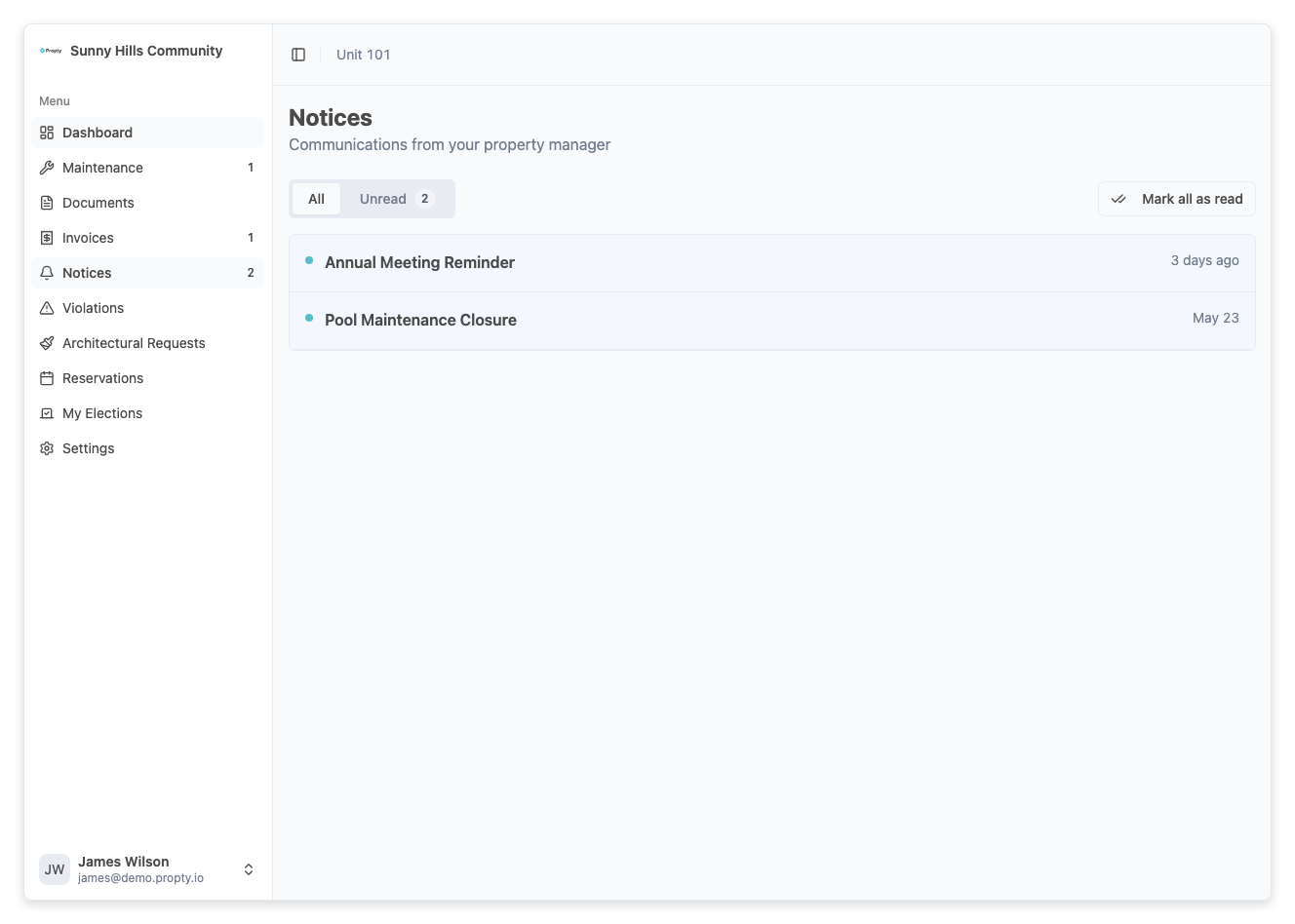
2. Spot unread notices
Unread notices are marked with a dot indicator next to the title, so you can quickly identify new communications you haven't opened yet.
3. Read a notice
Click on any notice to open the full detail view:
- Title — The subject of the notice
- Sender — Who sent the notice and when
- Content — The full message
- Attachments — Any files attached (meeting agendas, forms, PDFs)
4. Download attachments
If the notice includes attachments (such as meeting minutes, budget documents, or forms), click the Download button next to each file to save it to your device.
For the complete walkthrough with screenshots, see View Notices from Management.
Common Types of Notices
As an owner, you may receive notices about:
- Board meeting announcements — Date, time, location, and agenda for upcoming meetings
- Assessment changes — Updates to regular or special assessment amounts
- Maintenance schedules — Planned work affecting common areas or building systems
- Policy updates — Changes to community rules, parking policies, or pet regulations
- Emergency alerts — Urgent communications about safety, weather, or building issues
- Annual meeting and election notices — Notifications about ownership votes and board elections
If you serve on the board, make sure you read meeting notices promptly. They often include the agenda and any documents you need to review before the meeting.
Email Notifications
When your property manager sends a notice, you automatically receive an email with the content. To make sure you don't miss these:
- Verify that the email address on your Propty account is correct
- Check your spam/junk folder if you haven't received notice emails
- Add your property manager's email address to your contacts to prevent filtering
Troubleshooting
I don't see any notices
- Your property manager may not have sent any notices yet. Check back later.
- Make sure you are viewing the correct property if you belong to multiple properties.
I received an email but can't find the notice in the portal
- Switch to the correct property using the property selector in the portal navigation.
I'm not receiving email notifications
- Verify your email address is correct on the Account page
- Check your spam/junk folder
- Contact your property manager if emails are still not arriving
I can't download an attachment
- Check your internet connection and try again. If the problem persists, contact your property manager — the file may need to be re-uploaded.