Invoice Not Received
If you are expecting an invoice from your property management but haven't received an email notification, there are several things you can check. Invoices may still be available in your portal even if the email notification didn't arrive.
Check Your Portal First
1. Log in to the resident portal
Go to app.propty.io and log in with your email address.
2. Navigate to Invoices
Click Invoices in the sidebar. This page shows all invoices that have been published to your account, regardless of whether an email was sent.
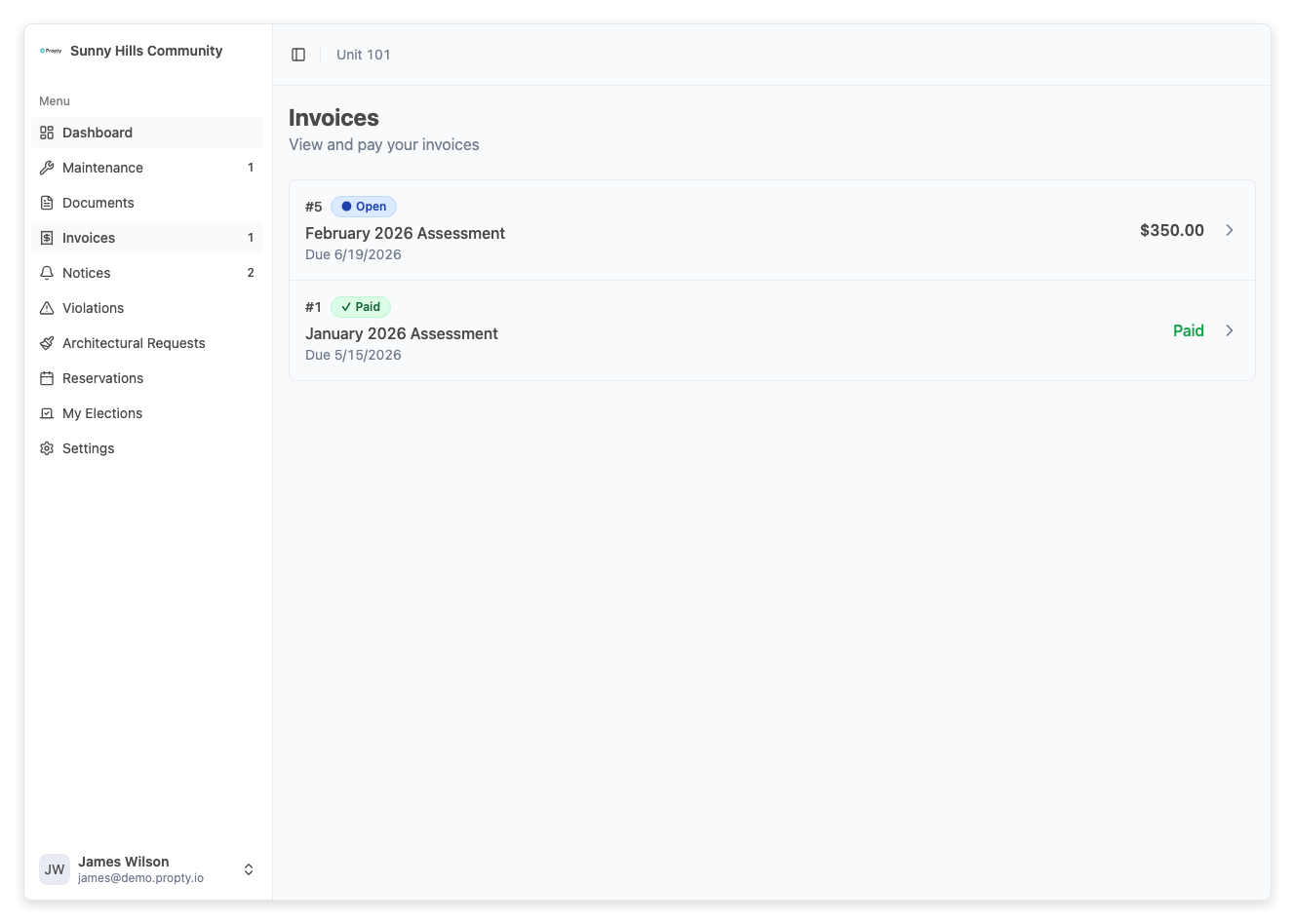
3. Look for your invoice
If the invoice appears here, it was successfully published. You can view it and make a payment directly from the portal.
If the Invoice Is Not in Your Portal
If no invoice appears in your portal, the property manager may not have published it yet, or there may be an issue with your account.
Check with your property manager
Contact your property manager and ask:
- Has the invoice been published? (Draft invoices are not visible to residents.)
- Is the invoice assigned to the correct unit?
- Is your email address correct in their system?
If the Invoice Is in Your Portal but You Didn't Get an Email
Check your spam or junk folder
Invoice notification emails can sometimes be filtered by your email provider. Look in your Spam, Junk, or Promotions folders.
Add the sender to your contacts
Add the Propty notification email address to your contacts or safe sender list to prevent future emails from being filtered.
Verify your email address
Make sure the email address on your portal account is correct and one you regularly check. You can verify this on the Account page in the portal.
Common Reasons for Missing Invoice Emails
| Reason | Solution |
|---|---|
| Invoice is still a Draft | Ask your property manager to publish the invoice |
| Email notification was not enabled | The property manager may have created the invoice without sending a notification |
| Wrong email address on file | Contact your property manager to update your email |
| Email went to spam | Check your spam/junk folder and add the sender to your contacts |
| You don't have portal access | Ask your property manager to send or resend your portal invitation |
Troubleshooting
I have portal access but see no invoices at all
- Your property manager may not have created any invoices for your unit yet. Contact them to confirm.
- If you were recently added to the property, invoices created before you were added may not appear.
I received the email but the link doesn't work
- The link in the email takes you to the portal login page. Log in with your email address and navigate to Invoices.
I'm not sure which property to check
- If you are associated with multiple properties, use the property switcher in the portal to check each one.
I need an invoice for my records but can't find it
- Contact your property manager. They can resend the invoice notification or provide you with a copy directly.