Organize Property Documents
Keep important property documents organized and accessible in Propty. Upload CC&Rs, bylaws, financial reports, meeting minutes, and other files so they are easy to find and share with residents.
What you'll need
- Property manager or organization manager role
- Files to upload (PDF, Word, Excel, images, or other common formats)
Steps
1. Go to the Documents page
From the sidebar, click Documents under your property name.
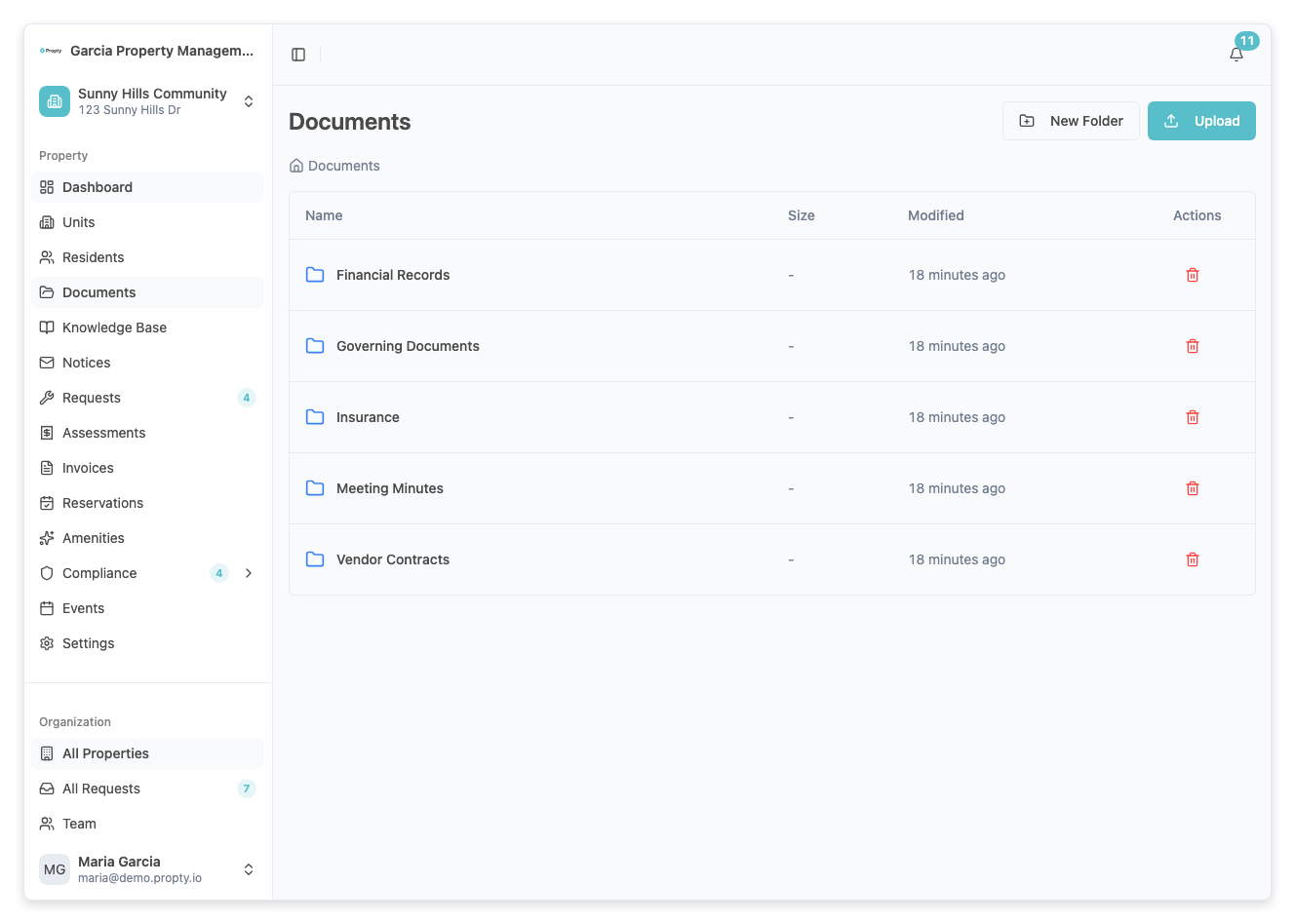
2. Upload a document
Click the Upload button. Select a file from your computer.
Supported file types include:
- PDF — CC&Rs, bylaws, financial reports
- Word documents (.doc, .docx) — Letters, templates
- Excel spreadsheets (.xls, .xlsx) — Budgets, assessments
- Images (.jpg, .png) — Photos, flyers
3. Organize documents
Documents can be organized into categories. Common categories include:
| Category | Examples |
|---|---|
| Governing Documents | CC&Rs, bylaws, rules and regulations |
| Financial Reports | Budgets, reserve studies, audit reports |
| Meeting Materials | Agendas, meeting minutes, proxy forms |
| Community Info | Newsletters, contact directories, emergency procedures |
4. Manage existing documents
For each document, you can:
- Download — Save a copy to your computer
- Delete — Remove the document (this is permanent)
- Replace — Upload a newer version of the same document
Best Practices
- Use clear file names — Name files descriptively (e.g., "2026-Annual-Budget.pdf" rather than "budget.pdf")
- Keep documents current — Replace outdated versions with current ones
- Upload regularly — After board meetings, upload the minutes and any new documents promptly
- Organize by category — Use categories consistently so residents can find what they need
Troubleshooting
The upload fails
- Check the file size. Very large files may time out during upload. Try compressing the file or splitting it into smaller parts.
- Make sure the file is not corrupted by opening it on your computer first.
- See File Upload Failed for more solutions.
I accidentally deleted a document
- Deleted documents cannot be recovered. You will need to upload the file again.
Residents say they can't find a document
- Make sure the document has been shared with residents. See Share Documents with Residents.