Share Documents with Residents
After uploading documents to your property, you can share them with residents so they can view and download them through the portal.
- Documents already uploaded to your property (see Organize Property Documents)
- At least one resident with portal access
Steps
1. Go to the Documents page
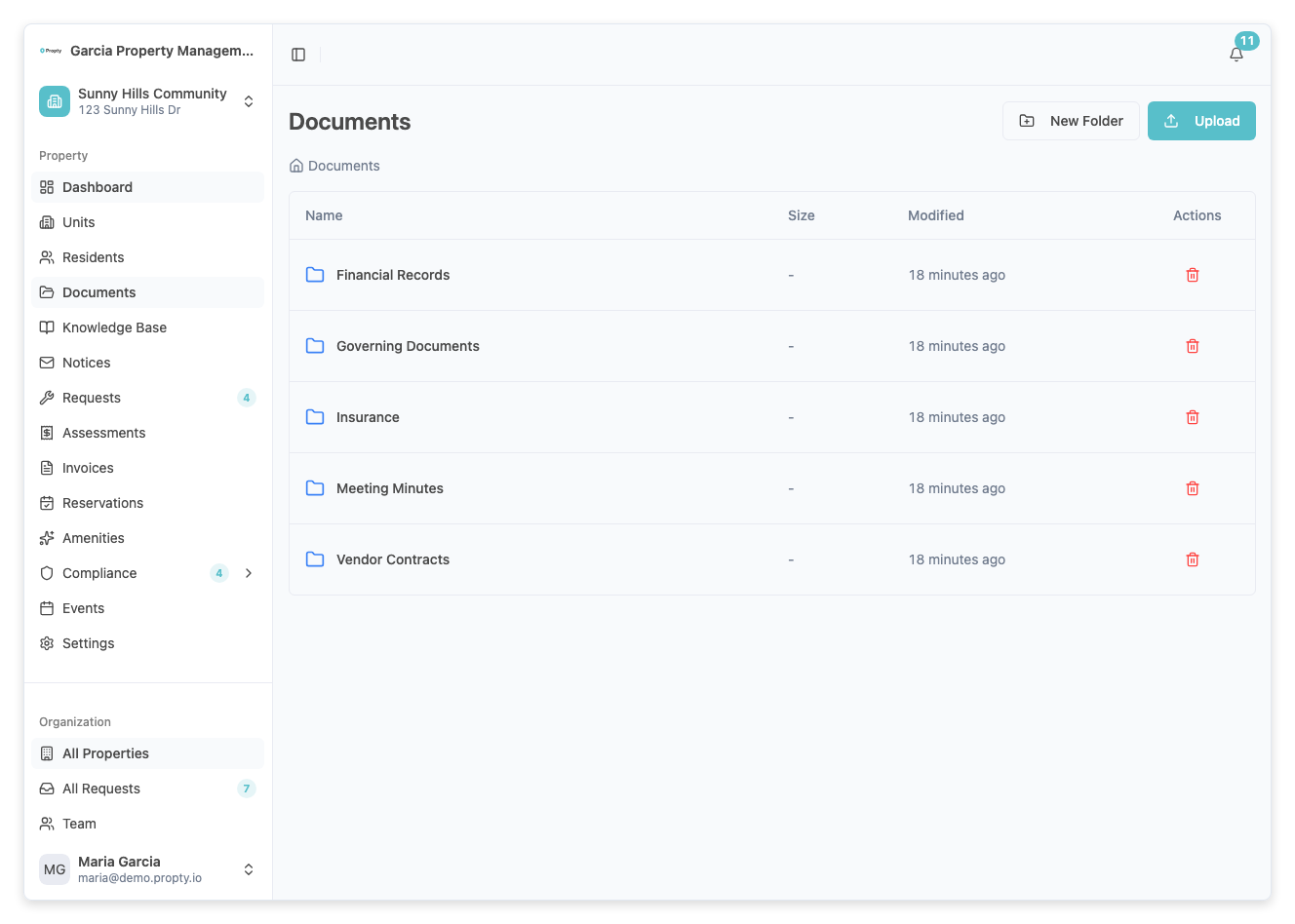
From the sidebar, click Documents under your property name.
2. Select documents to share
Choose the documents you want to make available to residents. Shared documents appear on the resident's Documents page in the portal.
3. Confirm sharing
When a document is shared, all residents with portal access to your property can view and download it. There is no per-resident sharing — documents are shared with all portal users.
What Residents See
Residents can access shared documents by clicking Documents in their portal sidebar. They see:
- A list of all documents you have shared
- The ability to preview or download each document
- Documents organized by category (if you categorized them)
See Access Property Documents for the resident's perspective.
Removing Shared Access
To stop sharing a document:
- Go to the Documents page
- Find the document you want to unshare
- Remove it from the shared documents
Residents will no longer see the document in their portal after it is unshared.
Best Practices
- Share governing documents promptly — CC&Rs, bylaws, and rules should always be available to residents
- Share meeting materials before meetings — Upload agendas and proxy forms ahead of time
- Update shared documents — When you upload a newer version, it automatically replaces the old one for residents
- Review shared documents periodically — Remove outdated documents that are no longer relevant
Troubleshooting
Residents say they can't see shared documents
- Verify the resident has an Active portal account. Residents with Pending or Inactive status cannot access the portal.
- Confirm the document has been shared (not just uploaded).
I want to share a document with only some residents
- Currently, shared documents are visible to all residents with portal access. There is no per-resident or per-unit sharing. If you need to send a document to specific residents, consider using a notice with an attachment instead.
The document doesn't appear in the portal immediately
- There may be a brief delay. Ask the resident to refresh their browser. If the issue persists, verify the document was successfully shared.